
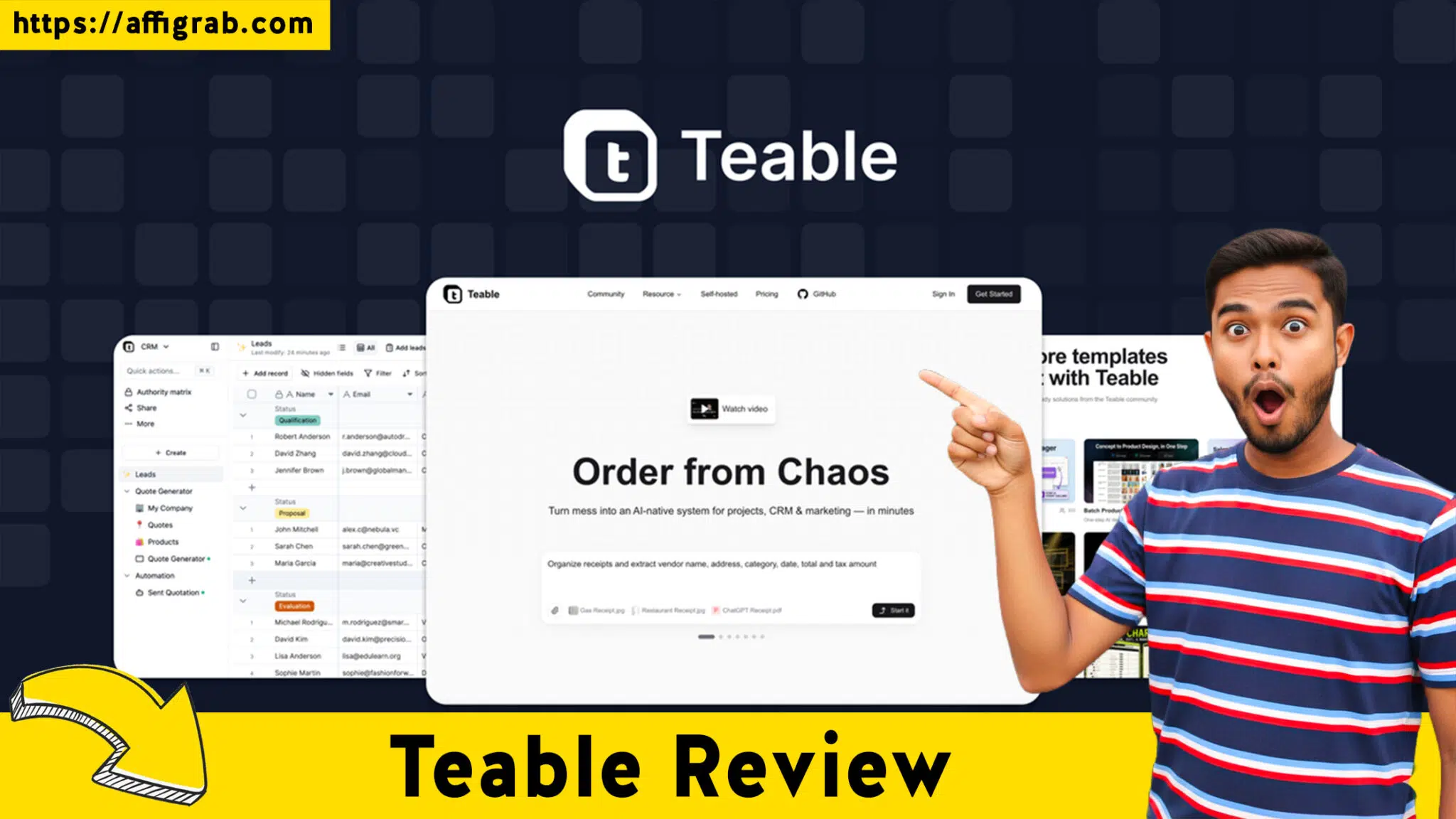
Teable Review: In the rapidly evolving landscape of 2026, the demand for sophisticated data management has moved far beyond simple spreadsheets.
As businesses grapple with massive datasets and the need for instantaneous synchronization, the traditional tools of the past decade are beginning to show their age. Enter Teable, a revolutionary platform designed to bridge the gap between the ease of use found in a spreadsheet-like interface and the robust, enterprise-grade power of a PostgreSQL database.
Table of Contents
This introduction explores why Teable is becoming the go-to solution for teams looking to modernize their infrastructure without the steep learning curve of traditional backend development.
The Evolution of No-Code Data Management in 2026
The no-code movement has reached a critical inflection point. A few years ago, users were content with basic relational tables and simple automations.
Today, the expectations have shifted toward “AI-native” capabilities—systems that don’t just store data but actively participate in its organization and enrichment. Teable has positioned itself at the forefront of this shift by offering an AI-native system that treats data as a dynamic asset rather than a static record.
The core problem Teable solves is the “glass ceiling” effect found in many popular no-code tools. Often, as a database grows, performance begins to lag, and complex queries become impossible to execute without external scripts.
Teable eliminates this bottleneck by utilizing a high-performance architecture that ensures your data remains snappy and responsive, regardless of how many thousands of rows you accumulate.
This is particularly vital for organizations that rely on real-time collaboration, where multiple team members are updating records, triggering workflows, and generating reports simultaneously across different time zones.
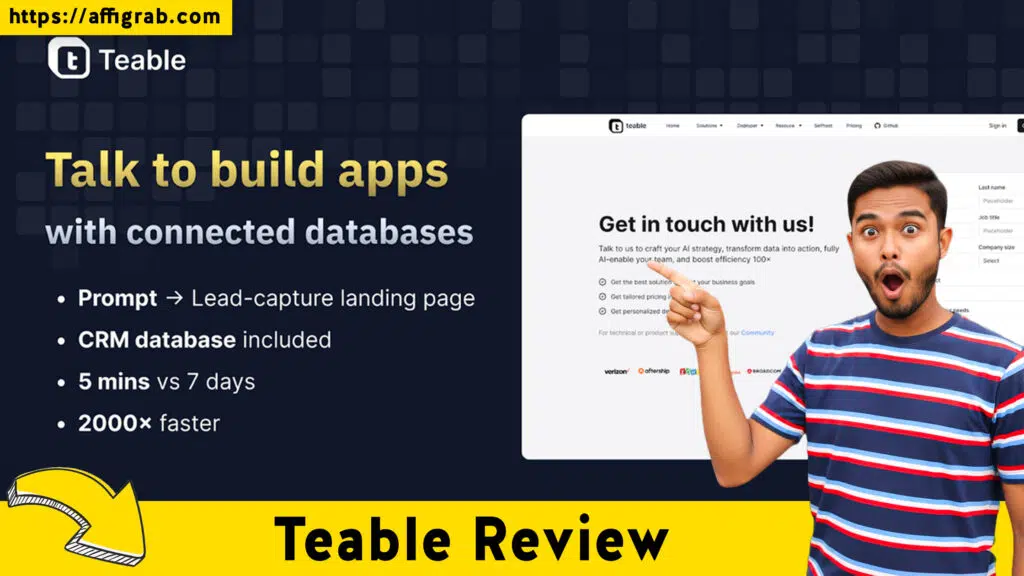
Why Speed and Scalability Matter Now More Than Ever
In 2026, business moves at the speed of light. If your project management tool or CRM takes five seconds to load a view, you are losing money.
Teable’s infrastructure is optimized for the modern web, providing a lag-free experience that feels more like a local desktop application than a cloud-based browser tool.
This speed is not just about user experience; it’s about the integrity of your workflows. When data moves fast, your team stays in the flow, making decisions based on the most current information available.
Bridging the Gap Between IT and Operations
Historically, there has been a divide between the IT department, which manages the “real” databases, and the operations teams, which live in spreadsheets.
Teable acts as the ultimate mediator. It provides the technical safeguards and structure that IT professionals demand, such as granular permissions and a transparent row change history, while maintaining the flexible, intuitive front-end that operations teams need to stay productive.
This synergy allows for faster deployment of internal tools and reduces the reliance on overstretched development teams.
Harnessing the Power of an AI-Native System
The term “AI-native” is often used as a marketing buzzword, but in the context of Teable, it represents a fundamental architectural choice.
By integrating artificial intelligence directly into the database layer, Teable allows users to perform complex data transformations and analyses that would previously require a data scientist.
Whether you are categorizing thousands of customer feedback entries or predicting inventory needs based on historical trends, the intelligence is built into the cells themselves.
For businesses looking to automate their growth, Teable offers a sophisticated environment where data flows seamlessly between different modules.
The ability to handle large-scale attachment storage without performance degradation means that your database can also serve as a centralized hub for all your digital assets. This creates a single source of truth for the entire organization, eliminating the fragmented data silos that plague modern enterprises.
Customization and Flexibility Without the Complexity
One of the standout features of Teable is its ability to adapt to almost any use case. While many tools force you into a specific way of thinking, Teable is a blank canvas powered by a rocket engine.
You can build a custom CRM, a high-frequency inventory tracker, or a complex content calendar in a matter of minutes. The platform’s flexibility ensures that as your business evolves, your database evolves with it. You aren’t locked into a structure that worked for you two years ago but hinders you today.
Security and Governance in a Connected World
As we move further into 2026, data privacy and governance have become paramount. Teable addresses these concerns by providing deep control over who can see and edit specific pieces of information.
With granular permissions, administrators can ensure that sensitive financial data or personal employee information is only accessible to those with the proper clearance. This level of control is essential for staying compliant with global data regulations and maintaining the trust of your clients and stakeholders. Furthermore, the detailed row change history provides a comprehensive audit trail, making it easy to revert errors or investigate how a particular piece of data has evolved over time.
By focusing on these core pillars—speed, AI integration, and enterprise-grade security—Teable is not just another entry in the crowded no-code market.
It is a fundamental rethinking of what a modern database should be. It empowers non-technical users to build professional-grade applications while giving technical users the power and reliability of a PostgreSQL database. As we look toward the rest of 2026 and beyond, Teable stands as a testament to the power of democratized data management.
Deep-Dive into Teable Review: Features for the 2026 Enterprise
To truly understand why this platform is gaining traction, we must look at the technical foundation that separates it from standard no-code tools. At its core, Teable is built on a high-performance PostgreSQL database.
This isn’t just a technical footnote; it is the reason the software can handle millions of records without the sluggishness typically associated with web-based spreadsheets. When you perform a Teable Review of the interface, you immediately notice a spreadsheet-like interface that feels familiar, yet it hides a sophisticated relational engine capable of complex queries and massive data processing.
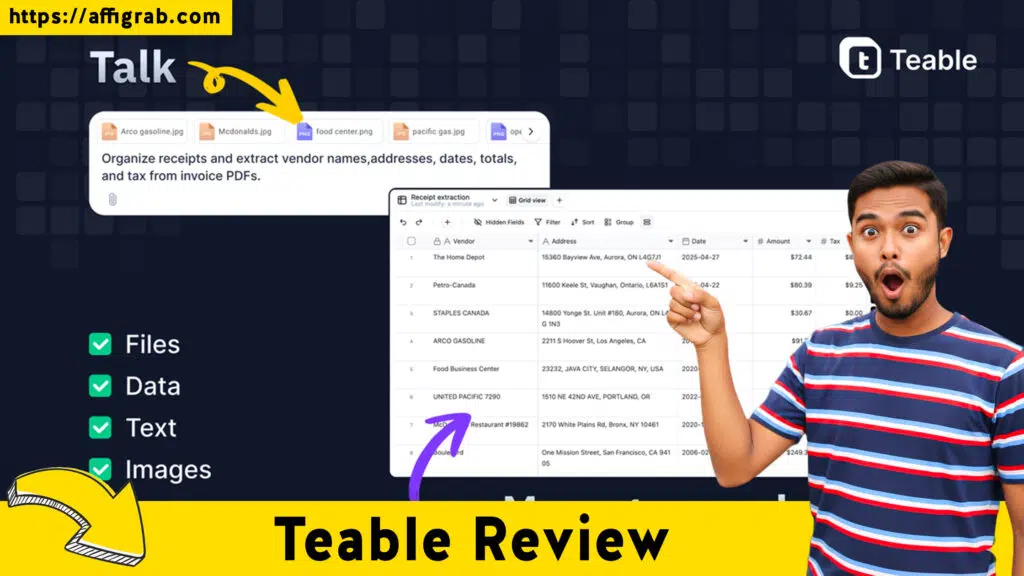
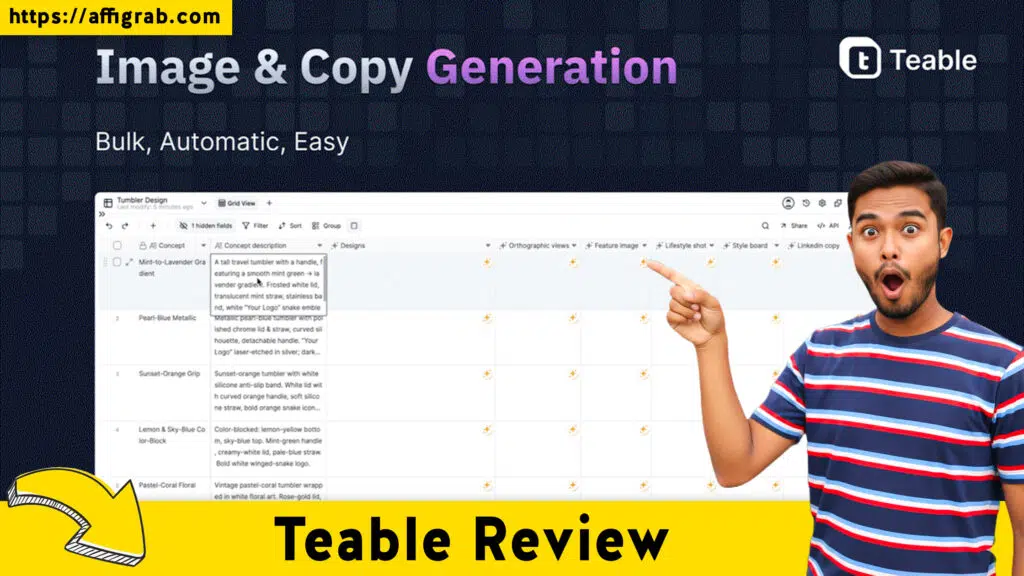
One of the standout features is the AI-native system integration. In 2026, manual data entry is a relic of the past. Teable allows users to leverage artificial intelligence directly within their tables to automate data cleaning, sentiment analysis, and even predictive modeling.
For example, a marketing team can use the built-in data scraping capabilities to pull competitor pricing or social media mentions directly into a base. Once the data is in the system, the AI can categorize it, summarize long text fields, and suggest next steps for the sales team.
Maximizing Efficiency with Teable Review Workflows
The true power of any database lies in its ability to act on data, not just store it. Teable provides a robust engine for automation runs, allowing users to create complex logic gates without writing a single line of code.
You can set up triggers based on a row change history event—such as a status moving from “Pending” to “Approved”—which then initiates a sequence of actions like sending a Slack notification, generating a PDF invoice, or updating a record in a connected service.
For teams managing heavy media assets, the attachment storage capabilities are industry-leading.
Unlike competitors that throttle performance when you upload large files, Teable handles high-resolution images, legal documents, and video files with ease. This makes it an ideal hub for creative agencies or architectural firms that need to link massive files to specific project milestones.
Because the system supports real-time collaboration, a designer in London can upload an asset while a project manager in New York views it instantly, all within the same secure environment.
Secure Data Management and Custom Applications
Security is a primary concern for modern enterprises, and Teable addresses this through granular permissions. You can control access not just at the base or table level, but down to specific views and fields.
This is crucial for HR departments or financial institutions that need to share certain project details with external contractors while keeping sensitive salary data or banking info strictly internal.
Furthermore, Teable allows you to transform your back-end data into custom-facing apps. Instead of forcing clients or stakeholders to look at a complex grid of numbers, you can build a streamlined interface that only shows the information they need to see.
This internal app-building capability turns your database into a full-scale software development platform, enabling the creation of client portals, inventory tracking dashboards, and internal employee directories that look and feel like bespoke professional software.
🚀 Get Teable Lifetime Deal Now
Exact AppSumo Pricing and License Tiers
Understanding the investment is key to any Teable Review. The current lifetime deal on AppSumo provides a permanent alternative to high monthly subscription costs. Below are the exact pricing tiers and the specific limits associated with each level to help you determine which fits your organizational scale.
License Tier 1: $69
This entry-level tier is designed for solopreneurs or small startup teams. It includes lifetime access to all core features. You receive a limit of 50,000 rows per base and 10,000 monthly automation runs. It provides 20 GB of total attachment storage. This tier is perfect for those who need a powerful AI-native system to replace basic spreadsheets for a single department or a small project.
License Tier 2: $169
Moving up to Tier 2 significantly increases the capacity for growing businesses. This tier offers 100,000 rows per base and 50,000 monthly automation runs. The attachment storage is increased to 50 GB. This level is highly recommended for agencies that need to manage multiple client projects simultaneously and require more frequent data scraping and automated updates to keep their workflows running smoothly.
License Tier 3: $329
Tier 3 is the sweet spot for medium-sized enterprises. It provides a massive 250,000 rows per base and 100,000 monthly automation runs. Users at this level benefit from 100 GB of attachment storage.
At this stage, the granular permissions become even more vital as you likely have multiple departments accessing the same PostgreSQL database. This tier supports larger-scale operations that rely heavily on real-time collaboration across diverse teams.
License Tier 4: $549
The top-tier License Tier 4 is built for heavy-duty, data-intensive organizations. It offers the maximum limit of 500,000 rows per base and 250,000 monthly automation runs. You are granted 200 GB of attachment storage, ensuring you never run out of space for critical assets.
This is the ultimate choice for companies building extensive custom-facing apps or those who have archived a massive row change history over years of operation. It represents the best value for long-term scalability without recurring fees.
Real-World Use Cases for the Teable Lifetime Deal
To visualize how these tiers and features function in a live environment, consider a high-growth e-commerce brand. They use the PostgreSQL database foundation to sync their inventory from multiple warehouses.
By utilizing the spreadsheet-like interface, the operations manager can quickly filter for low-stock items. An automated trigger then initiates an AI-native system task to draft a purchase order based on historical sales trends stored in the row change history.
Another example is a digital marketing agency using Teable for data scraping. They pull live SEO metrics into their base, use automation runs to calculate the return on investment for various campaigns, and then present these findings to clients through custom-facing apps.
The granular permissions ensure that Client A can only see their specific dashboard, while the agency’s internal team retains full access to the backend data for all accounts.
For research institutions, the ability to store vast amounts of data with specific attachment storage needs is a game-changer.
Researchers can maintain real-time collaboration on clinical trial data, knowing that every modification is tracked and that the high-speed architecture can handle the complex relational links between patients, treatments, and outcomes. Whether you are at License Tier 1 or License Tier 4, the underlying power of Teable remains consistent, providing a professional-grade environment for any data-driven objective in 2026.
Teable Review: Competitor Landscape and the 2026 Data Revolution
Choosing the right database solution in 2026 requires a clear understanding of how the market has shifted. While the AppSumo lifetime deal offers a unique financial advantage, it is essential to compare it against the industry giants that defined the category. This Teable Review would be incomplete without looking at the subscription-based alternatives that most teams currently use.
The Major Competitors: Pricing and Functionality
1. Airtable
Airtable remains the most recognized name in the space, but its pricing model has moved toward a strictly high-end enterprise SaaS structure. As of early 2026, their “Team” plan starts at $24 per user, per month (billed annually), while the “Business” plan jumps to $54 per user, per month.
Unlike the one-time payment for Teable, Airtable is a recurring cost that scales with your headcount. While it offers a polished UI, many users find the record limits and automation ceilings restrictive compared to the high-volume PostgreSQL database backend that Teable provides for a single flat fee.
2. Baserow
Baserow is a strong open-source competitor that appeals to users who prioritize data sovereignty. Their hosted “Premium” plan currently costs $5 per user, per month, and their “Advanced” plan is $20 per user, per month.
While they do occasionally offer self-hosted enterprise licenses, the primary model is a monthly subscription. Baserow is excellent for basic relational needs, but it lacks the built-in, sophisticated AI-native system features that are baked directly into the Teable interface for automated data enrichment.
3. Monday.com
While primarily a work management tool, Monday.com competes in the database space through its “Workdocs” and “Boards.” Their “Pro” plan is currently $19 per user, per month (minimum 3 users, totaling $57/month).
While Monday.com excels at high-level project visualization, it is not a true relational database. It struggles with complex many-to-many relationships and does not offer the same level of attachment storage flexibility or deep data scraping integrations found in a dedicated tool like Teable.
💎 Get the Best Deal on Teable Here
Pros and Cons of Teable
The Pros:
Massive Cost Savings: The ability to secure a lifetime deal starting at $69 replaces thousands of dollars in annual subscription fees.
High-Performance Backend: Utilizing a PostgreSQL database ensures that the system remains fast even when handling hundreds of thousands of rows.
AI Integration: The built-in AI tools allow for the creation of an AI-native system that can summarize, translate, and categorize data automatically.
White-Label Potential: You can build custom-facing apps that allow you to share data with clients under your own branding.
Robust Auditing: The row change history is incredibly detailed, making it easy to track every modification made by your team.
Generous Limits: Even the lower tiers provide more automation runs than the entry-level paid plans of most SaaS competitors.
The Cons:
- Learning Curve: Because it is more powerful than a basic spreadsheet, new users may need time to understand relational data structures.
- Mobile App Maturity: While the web interface is flawless, the mobile experience is still receiving frequent updates to match the desktop power.
- Template Library: While growing, the library of pre-made templates is currently smaller than Airtable’s decade-old ecosystem.
Understanding the Teable Review Technical Edge
The technical edge of Teable lies in its hybrid nature. It manages to offer a spreadsheet-like interface that non-technical staff love, while maintaining the data integrity of a professional-grade development environment. This means you don’t have to sacrifice power for ease of use.
Frequently Asked Questions (FAQ)
How does Teable handle real-time collaboration with multiple users?
Teable is built for real-time collaboration, meaning multiple users can edit the same record simultaneously without data conflicts. Every change is instantly synced across all devices and logged in the row change history for transparency.
Can I use Teable to build client portals?
Yes. One of the strongest features is the ability to create custom-facing apps. This allows you to hide the complexity of your backend PostgreSQL database and present a simplified, professional interface to your clients where they can only see the data you permit via granular permissions.
What exactly is an AI-native system in the context of a database?
An AI-native system means the AI isn’t just a plugin; it is integrated into the data cells. You can use it to perform data scraping, generate content, or analyze trends directly within your tables without needing external API connectors or third-party tools like Zapier.
Is there a limit to the type of files I can store?
Teable offers expansive attachment storage that supports almost all file types, including high-res images, PDFs, and spreadsheets. The storage limit is determined by your License Tier, ranging from 20 GB to 200 GB.
How many automation runs do I get per month?
Depending on your AppSumo tier, you receive between 10,000 and 250,000 automation runs per month. These resets every month, allowing you to build complex, self-sustaining workflows that handle repetitive tasks automatically.
Does Teable support complex relational data?
Absolutely. Unlike a flat spreadsheet, Teable allows for deep relational links. You can connect multiple bases and tables, ensuring that a change in one area reflects across your entire ecosystem, maintaining a single source of truth for your business.
The Final Verdict
In the competitive landscape of 2026, Teable stands out as a disruptive force. It successfully challenges the dominance of expensive SaaS platforms by offering a high-performance, PostgreSQL database foundation with the user-friendly feel of a spreadsheet-like interface.
For any business owner looking to future-proof their operations, the AppSumo lifetime deal is an unbeatable value proposition.
By moving your data into an AI-native system, you aren’t just storing information; you are building an intelligent asset that grows with your company. The combination of real-time collaboration, granular permissions, and the ability to launch custom-facing apps makes Teable a comprehensive solution for everything from simple task tracking to enterprise-level ERP systems.
If you are tired of monthly “per-user” fees that punish your company for growing, Teable is the answer. It provides the scalability of License Tier 4 for a fraction of what you would pay annually elsewhere.
Secure your lifetime access now and transform your manual workflows into a streamlined, automated powerhouse. This is the smartest investment you can make for your data infrastructure this year.