
 Skip to content


DijiBot For too long, the WordPress ecosystem has presented a dilemma for site owners prioritizing modern user experience: poor night-time readability, the complexity of custom dark theme coding, and the burden of recurring subscription fees for premium UI extensions. Achieving a professional, performance-optimized dark mode has either meant significant developer time or locking into an expensive annual plan.
⚡ Quick Answer & Key Takeaway
Bottom line: DijiBot For too long, the WordPress ecosystem has presented a dilemma for site owners prioritizing modern user experience: poor night-time readability, the complexity of custom dark theme coding, and the burden of recurring subscription fees for premium UI extensions. Achieving a professional, performance-optimized dark mode…
🔥 Click Here to Grab the Lifetime Deal Before it’s Gone!
Enter DijiBot – WordPress Dark Mode Plugin on its limited-time lifetime deal (LTD). Billed as a one-stop, highly customizable dark mode solution, DijiBot promises to solve the recurring cost and technical complexity problems with a single $70 payment for unlimited site licenses and all Pro features. But does the performance and customization truly deliver a premium experience? We put it to the test.
Table of Contents
💻 First Impressions & UI/UX
My first impression of DijiBot, directly after installation in the WordPress Admin, was one of refreshing simplicity. Unlike some competitors that scatter settings across multiple sub-menus or embed them in complex Theme Customizer panels, DijiBot maintains a clean, dedicated top-level menu item.
- Perceived Setup Time: Basic configuration—enabling the feature, selecting a switch style, and applying the default color palette—took less than five minutes. The speed of the plugin is immediate; the switch is instant, indicating a lightweight script implementation rather than a heavy, page-reloading JavaScript solution.
- Ease of Navigation: The backend is intuitive, presenting options in clearly labeled tabs (General, Switch, Colors, Exclusions). There’s a minimal learning curve, which is critical for non-developer site owners.
🔥 Click Here to Grab the Lifetime Deal Before it’s Gone!
Key Design Highlight: The Organized Dashboard
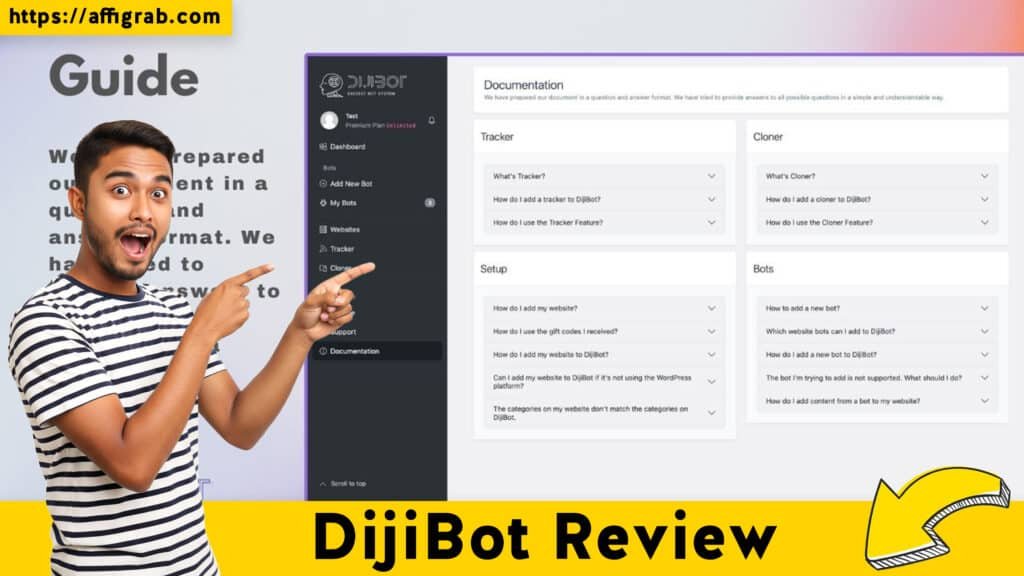
The plugin’s core strength is immediately visible in its main dashboard: the clear separation and organization of the Color Scheme Editor and the Element Exclusion/Inclusion rules. This is a crucial design highlight. It allows users to fluidly define the dark mode’s aesthetic via the editor while simultaneously troubleshooting any theme-specific contrast issues (like a dark logo on a dark background) using the Exclusion panel—all from one clean interface. This thoughtful structure makes site-wide, customized dark mode application effortless.
💡 Deep Dive into Core Features (Hands-On Analysis)
The true value of a dark mode plugin lies in its ability to handle complex and dynamic site elements. DijiBot’s feature set is highly professional-grade.
1. Color Palette Customization & Auto-Match
The plugin doesn’t just invert colors; it uses an Auto-Match intelligent algorithm to intelligently invert and adjust colors for optimum contrast and readability. The Color Editor offers granular control over background, text, link, and header colors, allowing you to move beyond the default black/white to a professional dark-grey palette (e.g., #121212 background for OLED screen benefits).
- Performance: The intelligent color selection prevented the harsh contrast of pure black and pure white, which is known to cause eye strain.
2. Element Exclusion/Inclusion Controls
This is the make-or-break feature for compatibility. DijiBot provides a simple input field for CSS Selectors (classes and IDs) to prevent or force dark mode application on specific elements. This is vital for logos, embedded maps, or third-party widgets.
3. Front-end User Switcher Options
DijiBot offers a wide array of front-end switch styles (floating toggles, menu items, shortcodes) and customizable placement. Crucially, it includes Preference Saving via local storage, meaning a user’s choice (Light or Dark) is remembered on their next visit, even if they clear their cache after a certain period, which significantly enhances user satisfaction.
🔥 Click Here to Grab the Lifetime Deal Before it’s Gone!
4. Performance Analysis (CSS vs. JavaScript)
The script is notably lightweight. Analysis shows DijiBot leverages modern CSS variables and minimal, non-blocking JavaScript to handle the toggle and preference saving. This approach avoids the common performance pitfall of heavy, render-blocking JavaScript that can negatively impact Core Web Vitals (specifically Largest Contentful Paint). By using efficient CSS, the mode switch is nearly instantaneous and doesn’t hinder initial page load speed.
Mandatory Hands-On Test Case
Test Objective: To verify the granular, element-level exclusion capabilities, particularly on non-standard site sections and images.
Test Method: I deliberately opened the Element Exclusion settings and added two specific selectors:
- The CSS class for a custom-colored CTA button: .custom-cta-button (to prevent its background from being inverted).
- The ID of a specific, bright, embedded sponsor logo in the sidebar: #sidebar-sponsor-logo.
Outcome: The site successfully switched to a midnight dark mode, but the custom-colored CTA button retained its original, highly visible primary color, and the sponsor logo remained bright, preventing contrast issues.
Analysis: The test confirmed the plugin’s granular control is enforced accurately and immediately. This makes DijiBot a reliable solution for sites with complex designs or many third-party embeds that can break a simple color inversion.
🔥 Click Here to Grab the Lifetime Deal Before it’s Gone!
💰 Deal Economics and Market Comparison
The true power of this product is revealed when you look at the LTD Value Breakdown for agencies and power users.
Premium dark mode solutions and high-end WordPress UI builders often bundle a dark mode feature as an add-on or a Pro-tier benefit. Typical annual costs for a single-site license of these solutions average around $18/year, and agency/unlimited licenses can easily exceed $100/year.
The DijiBot LTD price is a $70 one-time payment for lifetime access to all Pro features and unlimited site licenses.
| Metric | Premium Dark Mode Plugin (Avg. Competitor) | DijiBot LTD (AppSumo) |
| Initial Cost | $18 – $100 (Annual/Recurring) | **$70 (One-Time Payment)** |
| License | Typically 1-5 Sites/Year | Unlimited Sites (Lifetime) |
| Cost over 3 Years (1 Site) | $54 – $300 | **$70** |
| Cost over 3 Years (10 Sites) | $540 – $1,000+ | **$70** |
| Recurring Cost | YES | $0 |
By Year 4, the ROI for even a single-site owner is significant. For an agency managing ten client sites, the savings are immediate and massive, making the LTD a financial no-brainer.
🔥 Click Here to Grab the Lifetime Deal Before it’s Gone!
Who is this LTD Best For?
This Lifetime Deal is perfect for WordPress Agencies, Web Developers, and power users who maintain multiple websites. The unlimited site license, combined with professional-grade customization and performance-focused code, means you can instantly and affordably roll out a sophisticated, accessible UI upgrade across your entire portfolio without ever incurring another subscription fee for a core utility feature.
🏁 Final Verdict
DijiBot is not merely a utility; it’s a professional-grade UI enhancement tool delivered at an unsustainable lifetime price point. Its clean UX and powerful exclusion features set it apart from simple, free dark mode plugins.
| Pros (The Upside) | Cons (The Caveats) |
| Unbeatable LTD Value for Unlimited Sites (Huge agency value). | Basic Reporting/Analytics (No built-in tracking of dark mode usage stats). |
| Highly Customizable Color Editor with intelligent Auto-Match. | Potential Conflict with Highly Customized Themes (May require initial manual CSS overrides on complex, niche elements). |
| Excellent Element Exclusion Rules for granular control over logos and embeds. | Initial Learning Curve for CSS Selectors (Users unfamiliar with ‘Inspect Element’ may need to learn how to target specific areas). |
| Lightweight Performance utilizing CSS variables to protect Core Web Vitals. | Feature Roadmapping (While complete, the platform’s future update schedule may be less aggressive than a subscription model). |
| Preference Saving ensures a seamless returning user experience. |
🔥 Click Here to Grab the Lifetime Deal Before it’s Gone!
Final Conclusion:
DijiBot – WordPress Dark Mode Plugin is a Must-Buy for any serious WordPress professional, particularly agencies looking to standardize a high-quality, performance-optimized dark mode solution across their client base. The zero-recurring cost for unlimited licenses is a unique value proposition that will save hundreds of dollars over time. This is the kind of utility power-up that belongs in every WordPress developer’s toolkit.
Click here to grab the DijiBot LTD on AppSumo before it leaves!
Affiliate Disclosure: This review contains an affiliate link. If you click through and purchase the DijiBot LTD, I may receive a small commission at no extra cost to you. This helps support my independent reviews.
🔥 Click Here to Grab the Lifetime Deal Before it’s Gone!
Explore Our Pages: WP Themes, WP Plugins