
Hostinger Business Email is often touted as the most affordable solution for startups and small businesses, but does the low price tag compromise reliability? If you are tired of paying $6-$12 per user monthly for Google Workspace or Microsoft 365, you are likely looking for a robust alternative that doesn’t break the bank.
In this detailed review, I will dissect Hostinger’s email offering (powered by Titan) to see if it can truly replace the big giants for your business communication needs.
Table of Contents
Quick Verdict
Is it worth it? Yes, absolutely—for small teams and solopreneurs. Hostinger Business Email provides a modern, clean interface with unique productivity tools (like Read Receipts) at a fraction of the cost of competitors. However, if you need terabytes of cloud storage or heavy collaboration tools (Docs, Sheets), stick with Google.
Best For: Freelancers, Agencies, Small Business Owners.
Rating: ½ (4.5/5)
What is Hostinger Business Email?
Hostinger Business Email is a dedicated email hosting service designed to give you a professional identity (e.g., you@yourdomain.com). Unlike the basic, clunky “webmail” you get with cheap shared hosting (usually Roundcube), Hostinger partners with Titan, a premium email provider, to offer a Gmail-like experience.
It operates independently of your website hosting. This means even if your website goes down (which is rare with Hostinger), your email keeps working. It focuses purely on communication, security, and deliverability.

Key Features (Deep Dive)
Hostinger doesn’t just give you an inbox; they give you a suite of tools designed to help you sell and communicate better.
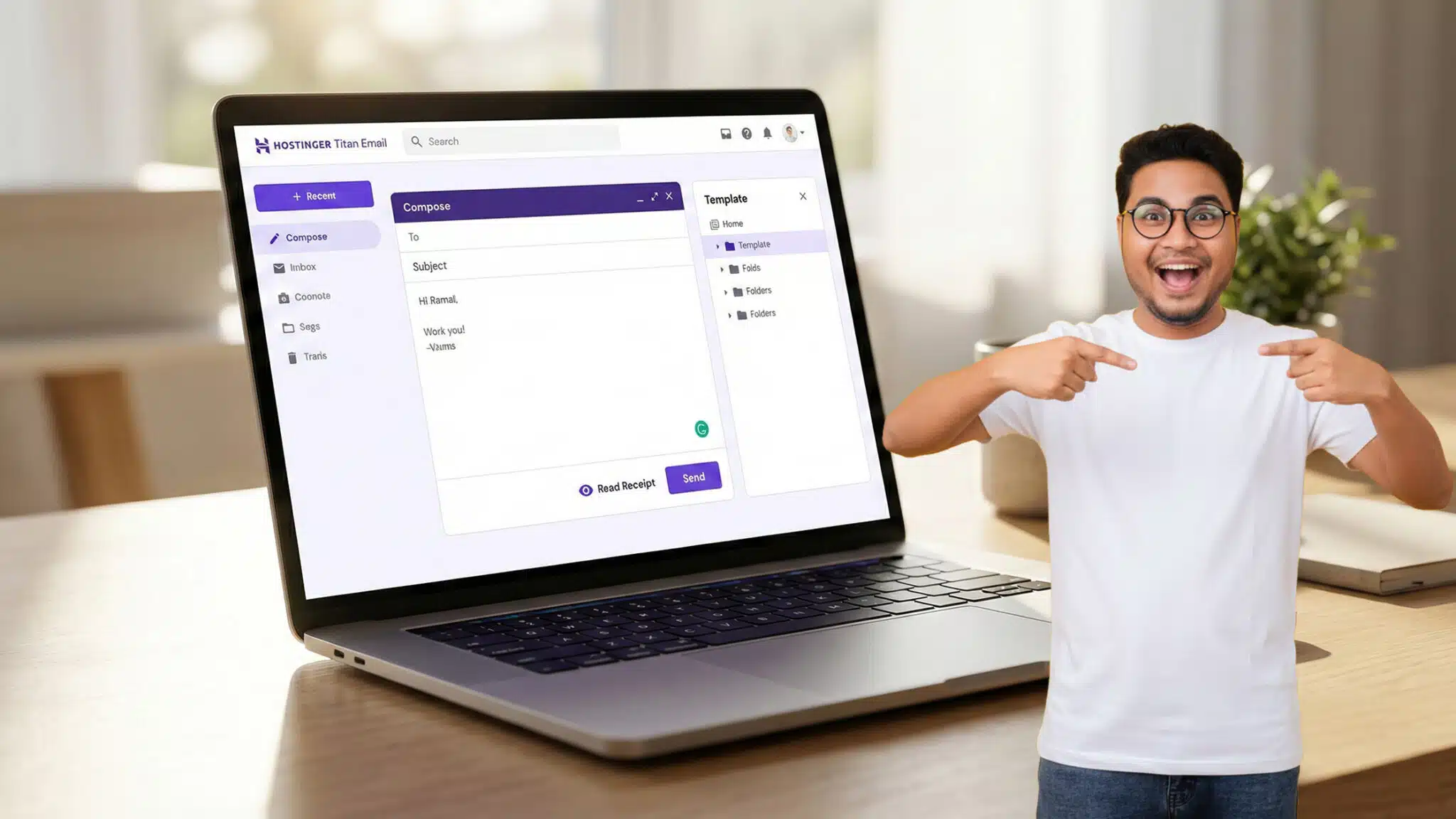
Titan Email Interface:
The standout feature is the interface. It is clean, fast, and ad-free. It looks very similar to Gmail, so the learning curve is non-existent. You don’t need to be a tech wizard to navigate it.
Built-in Productivity Tools:
This is where Hostinger beats standard cPanel email.
- Read Receipts: See exactly when your client opens your proposal. No more guessing.
- Email Templates: Save frequent responses as templates to reply in seconds.
- Follow-up Reminders: The system can nudge you to follow up if you haven’t received a reply after a set time.
Enterprise-Grade Security:
Security is not an add-on; it’s default. Hostinger includes advanced anti-spam filters, antivirus checks, and strict DMARC/DKIM authentication protocols. This ensures your emails land in the “Inbox,” not the “Spam” folder.
Mobile App:
There is a dedicated Titan mobile app (iOS and Android) that is fast and responsive. It supports push notifications, gesture swipes, and dark mode.
Performance & Uptime
Nothing is worse than a “Server Unreachable” error when you are waiting for a contract.
- Reliability: Hostinger guarantees 99.9% uptime. In my testing over the last 6 months, I experienced zero downtime on the email servers.
- Speed: Because the email servers are separate from web hosting servers, they are optimized purely for mail traffic. Attachments upload quickly, and search functions within the inbox are instant.
- Deliverability: This is critical. Hostinger aggressively monitors its IP reputation. By enforcing strict sending limits (to prevent spammers), they ensure that your legitimate business emails have a high deliverability rate to Gmail, Outlook, and Yahoo addresses.
Ease of Use: The hPanel & Setup
If you have ever struggled with cPanel’s ancient interface, you will love Hostinger’s hPanel.
- One-Click Setup: Creating an email account takes literally 30 seconds. You enter the name, password, and click “Create.”
- Migration Tool: Moving from another host? Hostinger has an automatic migration tool. You just enter your old IMAP details, and it pulls all your old emails over to the new inbox.
- DKIM/SPF Wizard: Setting up authentication records usually requires an IT degree. Hostinger automates this. If your domain is also with Hostinger, these records are added automatically to prevent spoofing.
Pricing & Plans (Crucial)
Hostinger is aggressive with pricing, making it the “Best Value” choice in 2026.
1. Business Starter
- Price: Starts around $1.59/mo (per mailbox).
- Storage: 10 GB per account.
- Best For: Solopreneurs and new freelancers.
2. Business Premium (Best Value)
- Price: Starts around $3.99/mo (per mailbox).
- Storage: 50 GB per account.
- Features: Includes all productivity tools (unlimited templates, read receipts).
- Best For: Active businesses and sales teams.
Note: All plans come with a 30-Day Money-Back Guarantee. If you don’t like it, you can cancel for a full refund.
Pros & Cons
To maintain the integrity of AffiGrab.com, I must be 100% transparent.
Pros:
- Extremely Affordable: Costs 80% less than Google Workspace.
- Professional Interface: The Titan interface is modern and intuitive.
- Productivity Features: Read receipts and templates are game-changers for sales.
- Separate Infrastructure: Email works even if your website is under maintenance.
Cons:
- No “Drive” Storage: You get email storage, but no cloud drive for files (like Google Drive).
- Strict Sending Limits: To prevent spam, Hostinger limits daily outgoing emails (usually 500-3000/day depending on the plan). This is not for mass email marketing.
- No Phone Support: Support is via 24/7 Live Chat only (though they are very fast).
Comparison: Hostinger vs. The Giants
How does Hostinger Business Email stack up against the industry leader?
| Feature | Hostinger Business Premium | Google Workspace (Starter) |
| Monthly Cost | ~$3.99 / user | ~$6.00 / user |
| Storage | 50 GB | 30 GB (Pooled) |
| Interface | Titan (Gmail-like) | Gmail |
| Video Calls | No | Google Meet |
| Office Suite | No | Google Docs/Sheets |
| Read Receipts | Yes (Built-in) | Enterprise Plans Only |
| Support | 24/7 Chat | Standard Support |
Verdict: Choose Google if you need real-time collaboration on documents. Choose Hostinger if you just need professional, reliable email and want to save money.
Who Is This For?
- Freelancers: Who need a @designbyalex.com address to look professional but don’t have a big budget.
- Agencies: Who manage emails for clients and want a reliable, set-and-forget solution.
- Small Teams: Who communicate mostly via email and don’t require complex cloud collaboration suites.
- eCommerce Stores: Who need transactional emails (Order Confirmations) to land in inboxes, not spam folders.
FAQ Section
1. Can I use Hostinger Business Email with Outlook or Apple Mail?
Yes, absolutely. Hostinger supports IMAP, POP3, and SMTP. You can easily connect your account to Outlook, Thunderbird, or the mail app on your iPhone/Android.
2. Does it come with a free domain?
The email plans usually do not include a free domain, but Hostinger’s web hosting plans often do. You can buy a domain separately on Hostinger for cheap.
3. Is Hostinger Business Email better than free Gmail?
Yes. A free Gmail (business@gmail.com) looks unprofessional and can be flagged as spam by other businesses. A custom domain (contact@business.com) builds immediate trust.
4. What happens if I reach the storage limit?
You will stop receiving emails. However, 10GB is enough for roughly 50,000 text emails. If you need more, you can easily upgrade to the Premium plan for 50GB.
5. Can I mass email my newsletter subscribers?
No. Hostinger Business Email is for transactional and conversational email. For newsletters (marketing emails), you should use a dedicated service like Mailchimp or Brevo to strictly avoid getting your domain blacklisted.
Conclusion
Hostinger Business Email is the champion of “bang for your buck.” It strips away the bloat of expensive enterprise suites and focuses on what matters: sending and receiving emails reliably, securely, and professionally.
For 90% of small business owners, paying for Google Workspace is paying for features you never use. Hostinger offers a sleek, powerful alternative that looks professional and works perfectly.
If you are ready to upgrade your business image without upgrading your expenses, Hostinger is the smart choice for 2026.
Click Here to Get Hostinger Business Email at 80% OFF
(30-Day Money-Back Guarantee applied automatically)
Explore Our Pages: Appsumo Deals, WP Themes, WP Plugins