

Let’s be honest: “Zoom fatigue” is real. We’ve all stared at the same generic grid of faces, feeling disengaged in a sterile virtual room. The alternative? Enterprise-level “virtual office” tools like Nooks promise immersive collaboration but come with astronomical recurring price tags (we’re talking ~$5,000 per user, per year) aimed squarely at high-powered sales teams.
This leaves a massive gap for most of us: course creators, trainers, small businesses, and community managers who just want to host engaging, professional, and branded events without breaking the bank.
What if you could create a vibrant, persistent, and fully branded virtual space for your webinars, meetings, and classes… for a single, one-time payment? That is the exact promise of the GoBrunch AppSumo lifetime deal. I’ve spent time with the platform, and this review will break down whether it’s the high-value, low-cost solution you’ve been waiting for.
Table of Contents
First Impressions & UI/UX
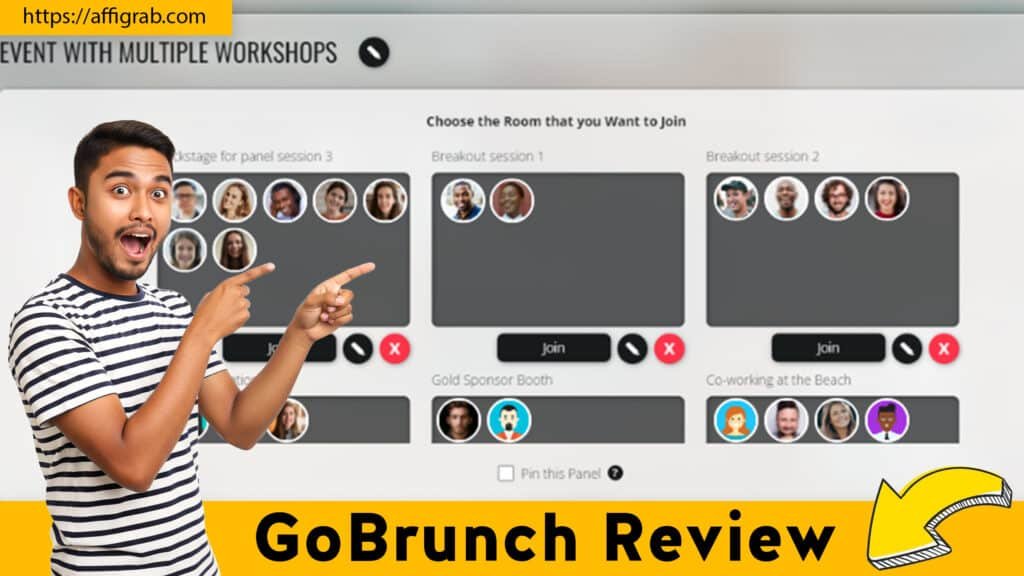
My first impression of GoBrunch is that it’s... different. In the best way possible. It completely abandons the standard, boring video grid that defines its competitors. Instead, you’re greeted with visually-driven, customizable layouts that mimic real-life spaces—an auditorium, a classroom, a modern office, or a casual networking lounge.
The Setup Time is remarkable. I was able to create, brand, and schedule a new webinar in literally under 60 seconds. The Ease of Navigation is equally strong; the dashboard is clean, and the host controls are intuitive. For attendees, the experience is frictionless. There is no installation required, and they can join any event from any browser with a single link.
But the Key Design Highlight is undoubtedly its persistent, branded virtual rooms. You aren’t just creating a one-off meeting; you’re building a virtual headquarters. You can create a “Main Stage” for keynotes, a separate “Networking Lounge” for mingling, and various “Team Huddle Rooms” for breakouts, all managed from one simple dashboard. You brand them once with your logos and colors, and they are always ready to go, creating a consistent and professional virtual environment for your community or company.
Deep Dive into Core Features (Hands-On Analysis)
GoBrunch is more than just a pretty interface. It’s packed with the core features needed to run professional events.
- Customizable Virtual Rooms & Branding: This is GoBrunch’s killer feature. You’re not just a box on a screen. You can upload custom backgrounds, place your logo prominently, and even create “clickable” elements within the room that can link to your website or a downloadable file.
- Unlimited Webinars & Cloud Recording: This is the core value of the AppSumo deal. You get unlimited webinars for unlimited attendees (within a generous “Pro” tier limit, which is high) and cloud recording for all your sessions. This alone replaces tools that charge hundreds per month.
- Interactive Tools: GoBrunch isn’t just a static room. It includes essential interactive tools like built-in polls, robust screen sharing (full screen, window, or tab), and seamless breakout rooms. You can split your audience into smaller groups for workshops or discussions with a few clicks.
- Attendee Management: The platform provides simple, no-install links for attendees, which is critical for reducing pre-webinar friction. You also get frequency reports to see who your most engaged community members are.
MANDATORY: Hands-On Test Case
To put GoBrunch through its paces, I simulated a “Quarterly All-Hands” webinar for a fictional company.
- The Test: I set up a branded ‘Quarterly All-Hands’ event to test the platform’s custom branding, pre-roll video capabilities, and breakout room flow.
- The Setup: I designed a virtual auditorium layout using our company’s logo and brand colors. I uploaded a 3-minute “welcome” video to play on the main “stage screen” as attendees joined. I then scheduled two 15-minute breakout sessions mid-event to be triggered manually.
- The Outcome: The result was incredibly professional. Attendees joined via the simple link and were immediately immersed in the branded environment, watching the pre-roll video, which played flawlessly. I delivered the main presentation via screen sharing, and the quality was crisp. Mid-event, I triggered the breakout rooms, and attendees were automatically and smoothly moved into their smaller groups. Recalling them to the main stage was seamless. The cloud recording captured the main stage presentation perfectly. The entire experience felt less like a clunky webinar and more like a polished, guided event, with zero technical glitches.
Deal Economics and Market Comparison
This is where the GoBrunch AppSumo deal becomes an absolute no-brainer for its target audience.
LTD Value Breakdown:
The GoBrunch Lifetime Deal is $89 for one-time access to all Pro features. Let’s put that in perspective. A high-end virtual salesfloor platform like Nooks, which also offers a “virtual space” concept, has enterprise plans that can start at ~$5,000 per user, per year.
You save that entire amount in the first year alone. For less than the price of one month of many basic webinar tools, GoBrunch gives you unlimited webinars, unlimited recordings, and a fully branded virtual space, forever. The return on investment is calculated in weeks, not years.
Competitor Comparison: GoBrunch vs. Nooks
It’s crucial to understand that these tools serve different masters, even if they both use the “virtual space” metaphor.
- GoBrunch (Presentation & Community): GoBrunch is a presentation and community platform. It excels at delivering branded webinars, virtual classes, training sessions, and community events. Its strength is in one-to-many or few-to-many interactions in an engaging, visual setting.
- Nooks (AI-Powered Sales Outreach): Nooks is a powerhouse for AI-driven sales outreach. It’s a virtual salesfloor built for sales development reps (SDRs) to “pod dial” leads. Its strengths are its AI dialer, deep CRM integration, and AI-powered sales coaching.
Get the fast facts about Gobrunch Review through our latest web story.
Who is this LTD Best For?
This deal is a definitive Must-Buy for:
- Course Creators who want to deliver live classes in a branded “classroom.”
- Corporate Trainers who need to run engaging workshops with breakout rooms.
- Small Business Owners who want to host professional all-hands meetings and client-facing webinars.
- Community Managers who need a persistent, branded “home base” for their members to meet and network.
This is NOT for sales teams who need an AI-powered dialer to cold-call thousands of leads. That’s what Nooks is for. But if you need to host presentations and build a community, GoBrunch is the clear winner at an unbeatable price.
Final Verdict
GoBrunch directly solves the “Zoom fatigue” problem by making virtual events engaging, visual, and interactive again. It’s a robust, stable, and surprisingly feature-rich platform that focuses on the attendee experience—something many competitors have forgotten.
| Pros | Cons |
| ✅ Unbeatable LTD Value ($89 for life) | ❌ Lacks the AI sales-specific tools of Nooks |
| ✅ Highly Engaging Visual Interface | ❌ UI might be too visual for users wanting a simple grid |
| ✅ No Installation Required (frictionless for attendees) | ❌ Limited direct integrations (relies on Zapier/Pabbly) |
| ✅ Excellent Branding & Customization | ❌ Mobile experience is good, but best on desktop |
| ✅ Unlimited Webinars & Cloud Recordings |
Final Conclusion:
The GoBrunch AppSumo Lifetime Deal is one of the best-value deals I’ve seen for anyone who hosts meetings or events online. It provides a polished, professional, and engaging solution that costs less than a single month of its recurring-fee competitors. For its target audience, this is a definitive Must-Buy.
Affiliate Disclosure: As an affiliate, I may earn a commission from purchases made through links in this article at no extra cost to you. I only recommend products I have genuinely tested and believe in.
🔥 Click Here to Grab the GoBrunch Lifetime Deal Before it’s Gone!
Explore Our Pages: WP Themes, WP Plugins