

As marketers and business professionals, we are slowly bleeding out monthly fees. $15 here for Canva, $20 there for stock photos, another $30 for project management. While tools like Canva Pro are fantastic, there is a lingering frustration: you are essentially “renting” your ability to design. If you stop paying, you lose access to the premium assets you’ve come to rely on.
Enter Graphue, a popular deal currently making waves on AppSumo.
🔥Get Lifetime Access to Graphue on AppSumo
The pitch is simple but seductive: Instead of renting a design tool, why not own a massive library of agency-grade presentation templates forever?
In this review, I’m putting Graphue to the test. I’ll be looking at asset quality, real-world editability, and whether a ~$49 one-time payment can genuinely replace a $180/year subscription for the average presenter.
Table of Contents
First Impressions & Asset Accessibility
When you first redeem the Graphue deal, you aren’t logging into a cloud-based design editor. You are gaining access to a repository. The dashboard is clean, minimalist, and intentionally designed to get you to your assets quickly.
🔥Get Lifetime Access to Graphue on AppSumo
The Library Experience
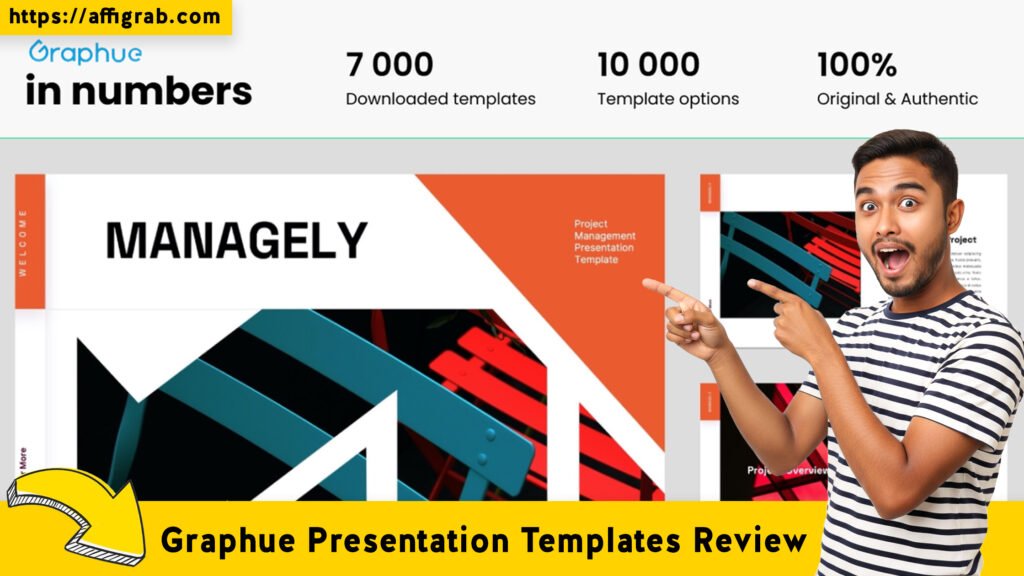
Navigating the Graphue library feels less like browsing a chaotic stock photo site and more like flipping through a high-end design catalog. The categorization is sharp, dividing assets into logical business needs: Pitch Decks, Medical, Creative, Marketing Reports, and Minimalist portfolios.
🔥Get Lifetime Access to Graphue on AppSumo
The visual quality immediately stands out. These do not look like the default “Title + Bullet Point” templates you get for free in PowerPoint. They utilize heavy image masking, modern typography hierarchies, and “bento grid” layouts that are currently trending in UI/UX design.
The Setup Process
From purchase to design, the friction is low but present. Unlike Canva, where you click and edit instantly, Graphue requires a download. You browse, hit download (usually a ZIP file), and unzip.
Key Design Highlight: True Native Formats
The strongest selling point became apparent immediately after my first download. Graphue doesn’t just give you a PDF or a generic file. For almost every template, they provide distinct files for PowerPoint (.pptx), Google Slides, and Apple Keynote.
This is massive. Often, when you export a Canva design to PowerPoint, the formatting breaks—fonts shift and transparencies glitch. Graphue builds the files natively for each platform, ensuring the architecture of the slide works for the software you prefer.
Deep Dive into Core Features (Hands-On Analysis)
🔥Get Lifetime Access to Graphue on AppSumo
To understand if Graphue is worth the investment, we have to move past the pretty thumbnails and look at the file structures.
Feature Analysis
- Massive Template Variety: The library covers the full spectrum. You have data-heavy decks for financial reports and image-heavy decks for fashion lookbooks.
- Master Slide Editability: This is the hallmark of a professional template. Graphue slides are built using “Master Slides.” This means you don’t have to edit every single page to move a logo; you change it in the master view, and it updates the whole deck.
- Commercial License: The AppSumo deal includes a commercial license, which is a lifesaver for agencies. You can use these templates to create presentations for clients without worrying about copyright strikes.
The Hands-On Test Case: The “Rebrand” Stress Test
To verify the quality of these assets, I didn’t just look at them; I put them to work.
The Scenario: I downloaded the “Startup Pitch Deck” (a 40-slide asset) and opened it in Google Slides. My goal was to completely rebrand the deck to a hypothetical corporate identity (Dark Blue and Gold) to see if the layout would break.
The Process:
- I opened the “Theme Builder” (Google Slides’ version of Master Slides).
- I changed the primary font from the default sans-serif to ‘Lato’.
- I altered the “Accent 1” color from the template’s default neon green to a deep navy blue.
- I attempted to swap a placeholder image using the “Replace Image” function rather than deleting and pasting.
The Outcome:
The result was surprisingly robust.
- Layout Stability: Changing the font did not push text boxes off the screen—the text constraints were set correctly.
- Global Colors: The color change rippled through the graphs, charts, and footer accents instantly. I re-colored 40 slides in roughly 30 seconds.
- Image Masking: The image placeholders were true “shapes.” When I dragged a new photo in, it automatically cropped to the creative blob/circle shape of the design.
Verdict on Quality: These are professionally built files, not just pretty pictures pasted onto a slide.
Deal Economics and Market Comparison
🔥Get Lifetime Access to Graphue on AppSumo
Here is where the “Subscription Fatigue” argument really shines.
The Math: Lifetime vs. Recurring
Let’s look at the numbers. To get access to templates of this quality on Canva, you need Canva Pro.
- Canva Pro Cost: ~$15/month or ~$180/year.
- Graphue LTD Cost: ~$49 (One-time).
The Savings:
- Year 1: You save ~$101.
- Year 5: You save ~$700+.
Furthermore, there is the issue of Asset Ownership. If you cancel Canva, you lose the ability to edit your premium designs or export them in high quality. With Graphue, you download the files. They live on your hard drive. You own them forever, regardless of whether Graphue exists as a company in 10 years or not.
Graphue vs. Canva: The Comparison
| Feature | Graphue (AppSumo Deal) | Canva Pro |
| Payment Model | One-time Payment (Lifetime) | Monthly/Annual Subscription |
| Editor | Uses PowerPoint / Google Slides / Keynote | Proprietary Online Editor |
| Offline Access | Yes (Files are local) | No (Requires Internet) |
| File Compatibility | Native .pptx, .key formats | PDF / PNG (PPT export can be buggy) |
| Learning Curve | Medium (Need to know PPT/Slides) | Low (Drag-and-drop) |
Who is this Best For?
Buy Graphue if: You are a consultant, marketer, or startup founder who prefers working in PowerPoint or Google Slides for their data handling capabilities, and you want high-end design without a monthly bill.
Stick with Canva if: You have zero design skills, don’t own PowerPoint, and need a “drag-and-drop” interface that holds your hand through the process.
🔥Get Lifetime Access to Graphue on AppSumo
Final Verdict
Graphue is not a software; it is a resource. It won’t write the slides for you, but it provides a professional, agency-level foundation that would cost thousands of dollars to commission custom.
Pros and Cons
| Pros | Cons |
| ✅ Zero Recurring Costs: Pay once, own the library forever. | ❌ No Built-in Editor: You must use external software (PPT/Google Slides). |
| ✅ Native File Formats: Real .pptx and .key files that don’t break. | ❌ Manual Process: You have to download and unzip files; it’s not cloud-synced. |
| ✅ Commercial Rights: Safe for client work and agency use. | ❌ Fewer Stock Photos: Unlike Canva, you don’t get a massive stock photo engine. |
| ✅ High-End Aesthetic: distinct from the “generic” look of free templates. |
Conclusion
Is Graphue a “Canva Killer”? No, because it doesn’t try to replace the tool. It replaces the subscription.
If you are tired of paying monthly fees just to access good-looking templates, Graphue is a must-buy. It is a massive injection of professional design assets into your local library for the price of a few months of Canva. For any serious presenter, the ROI is almost immediate.
🔥Get Lifetime Access to Graphue on AppSumo
Disclaimer: This post contains affiliate links. If you purchase through these links, I may earn a commission at no extra cost to you. I only review products I have personally tested and believe in.
Explore Our Pages: WP Themes, WP Plugins, Blog