

The digital age demands high-resolution assets, but reality often serves up low-res relics, blurry website images, or old product shots that simply don’t scale. The traditional solution? Dive into expensive, complex desktop software like Adobe Photoshop, navigating multi-step interpolation menus, sharpening filters, and noise reduction—a tedious, time-consuming, and costly process.
This is the exact pain point that Img.Upscaler aims to solve. Currently available on AppSumo as a Lifetime Deal (LTD) for a one-time payment of $49, this AI-driven tool promises to transform pixelated messes into crisp, high-resolution images in a single click. We took a deep dive to see if this zero-recurring-cost solution is a viable—or even superior—alternative to the industry-standard tools for solopreneurs, content creators, and e-commerce owners.
🚀 First Impressions & UI/UX
From the moment you log in, the experience with Img.Upscaler is a masterclass in simplicity and speed. Unlike the heavy installation and overwhelming interface of desktop software, setup time is Instant—it’s a pure, web-based experience.
The user interface (UI) is clean, focusing entirely on its core task. The homepage features a large, central drag-and-drop zone, eliminating any unnecessary navigation steps. The learning curve is virtually non-existent; you select your image, choose your upscale factor (e.g., 2x, 4x, 8x), pick the AI mode, and hit “Process.” It drastically reduces a complex, multi-step Photoshop process into a one-click workflow.
Key Design Highlight: The Comparison Slider
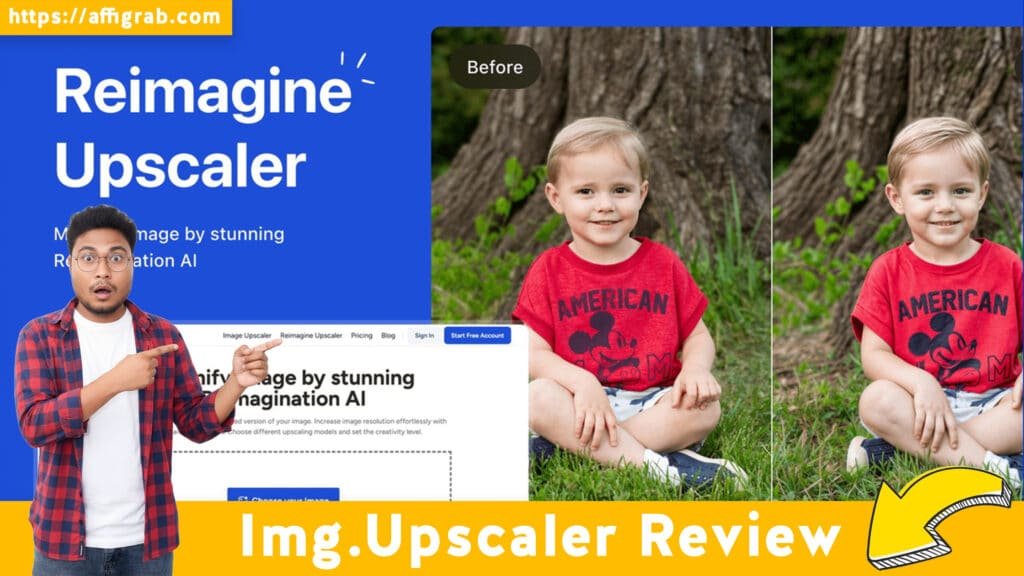
The most crucial element of the user experience is the output screen. Once an image is processed, Img.Upscaler doesn’t just display the final image; it presents a dynamic side-by-side comparison slider.
This feature allows the user to instantly and visually compare the original low-resolution, pixelated image against the new, AI-enhanced high-resolution output before downloading. This instant visual feedback confirms the quality of the AI’s work and builds immediate confidence in the tool.
🔬 Deep Dive into Core Features (Hands-On Analysis)
Img.Upscaler’s power lies in its specialized AI models, which are dedicated to specific image types.
- 1. AI Upscaling Modes: The tool offers specialized modes, including Photo, Art/Drawing, and General. This allows the AI to tailor its algorithms—focusing on sharp edges for illustrations (Art/Drawing) and subtle texture preservation for photographs (Photo).
- 2. Batch Processing Capability: This is a Pro feature and a massive time-saver. The ability to upload and process dozens of assets simultaneously (e.g., a folder of old product thumbnails) is indispensable for e-commerce and content teams needing volume.
- 3. Noise & Artifact Correction: Beyond just resizing, the tool intelligently identifies and smooths digital artifacts like JPEG macro-blocking and grain.
- 4. Maximum Upscale Factor: The current cap allows upscaling up to 8x the original size, or a massive 10,000 pixels on the longest side, making it suitable for both high-end web banners and print-quality work.
Mandatory Hands-On Test Case
To test the noise correction capabilities and general utility, I uploaded an old 600×400 JPEG photo from 2005 with noticeable macro-blocking and digital noise in the shadows and mid-tones.
I then applied a 4x upscale using the ‘Photo’ AI mode.
Outcome & Analysis: The result was a clean, 2400×1600 image. The AI correctly interpreted complex textures in the subject’s clothing, preserving the fabric weave, while the original digital artifacts, color bleeding, and visible noise in the shadow areas were intelligently smoothed and removed. The resulting high-resolution image was immediately usable for a web publication banner, confirming its high utility for restoring and modernizing low-quality source images.
💰 Deal Economics and Market Comparison
Want to see it in action? Browse the Img Upscaler Review slide overview.
LTD Value Breakdown
The Img.Upscaler Lifetime Deal is available for a $49 one-time payment and includes all Pro features, most importantly the high-volume batch processing.
| Expense | Cost |
|---|---|
| Img.Upscaler LTD (One-Time) | $49.00 |
| Adobe Photoshop Photography Plan (1 Year) | $119.88 ($9.99/mo) |
| Savings over Year 1 | $70.88 |
| Savings over 5 Years | $550.40 |
The value proposition is clear: you pay once and own the tool forever, eliminating a major recurring subscription cost from your tech stack.
Competitor Comparison: Img.Upscaler vs. Adobe Photoshop
| Feature | Img.Upscaler (LTD) | Adobe Photoshop (SaaS) |
|---|---|---|
| Cost Model | Zero-Recurring Cost ($49 LTD) | High Recurring Cost ($9.99+/mo) |
| Ease of Use | 1-Click, Pure AI Upscale | Multi-Step Process (Interpolation, Sharpening, Noise Reduction) |
| Focus | Dedicated, Fast, AI-Driven Upscaling & Cleanup | Full Suite of Pixel-Level Editing & Manipulation Tools |
| Speed | Near-Instant (Web-based) | Dependent on Local Desktop Hardware/Specs |
Who is this LTD Best For?
This LTD is a must-buy for content creators, solopreneurs, e-commerce stores, and marketers who need volume, speed, and simplicity in upscaling their assets. If your primary goal is to take a low-resolution image and make it a high-resolution, publishable asset without complex, manual editing, Img.Upscaler is the superior, zero-cost choice. If you require deep, pixel-level manipulation, layering, or professional graphic design work, Photoshop remains necessary, but not for simple resizing tasks.
✅ Final Verdict
Img.Upscaler is a potent workflow simplification tool. It delivers on its promise of fast, high-quality, AI-driven upscaling.
Pros and Cons Table
| ✅ Pros | ❌ Cons |
|---|---|
| Unbeatable Zero-Recurring Cost Value | Not a full image editor (cannot crop, mask, etc.) |
| Instant, One-Click, AI-Driven Results | Dependent on server speed for very large batches |
| Excellent Artifact and Noise Removal | AI may introduce minor smoothing to very fine, intricate textures |
| True Batch Processing for High-Volume Work | Requires an internet connection (web-based) |
| Intuitive UI with Comparison Slider | Maximum upscale is 8x (sufficient for most, but not unlimited) |
Final Conclusion
For the $49 one-time investment, Img.Upscaler is a Must-Buy for any solopreneur or small content team looking to future-proof their asset library.
It reliably and quickly solves a major workflow headache—the difficulty of scaling images—while eliminating the need for expensive recurring software subscriptions for that one specific task. It’s a specialized tool that performs its job better and faster than the general-purpose competition.
⚠️ Affiliate Disclosure: As is standard in the technology blogging industry, this review may contain affiliate links, meaning we may earn a small commission if you purchase the deal. This, however, has not influenced our honest analysis or verdict on the tool’s quality.
🔥 Click Here to Grab the Img.Upscaler Lifetime Deal Before it’s Gone!
Explore Our Pages: WP Themes, WP Plugins