
Notioly If you are a content creator or designer, you know the struggle: you need clean, trendy illustrations for a landing page or Notion template, but your options are usually limited to two frustrating paths. You either pay recurring monthly subscriptions for giants like Icons8 (which can cost upwards of $200/year) or you scavenge for free assets that look inconsistent and “cheap.”
Enter Notioly. This curated library of hand-drawn illustrations promises to solve both problems. It offers a premium, consistent “Notion-style” aesthetic for a single, lifetime price. But does a $29 one-time purchase really hold up against the industry giants?
In this review, we dive deep into the asset quality, scalability, and workflow efficiency of Notioly to see if it’s the design hack you’ve been waiting for.
Table of Contents
First Impressions & Asset Quality
Library Organization & Delivery
Upon redeeming the AppSumo code, you aren’t forced into a complex proprietary software. Instead, the delivery is refreshing in its simplicity. You receive a direct digital download (ZIP file) that is neatly organized by categories (e.g., Business, Technology, People, Abstract).
While it lacks a searchable plugin interface (like the Icons8 Mac app), the folder structure is intuitive. You can quickly navigate to the folder you need, preview the PNGs, and grab the source SVG immediately. It feels less like “software” and more like a carefully organized artist’s portfolio handed directly to you.
Aesthetic Quality: The “Notion” Look
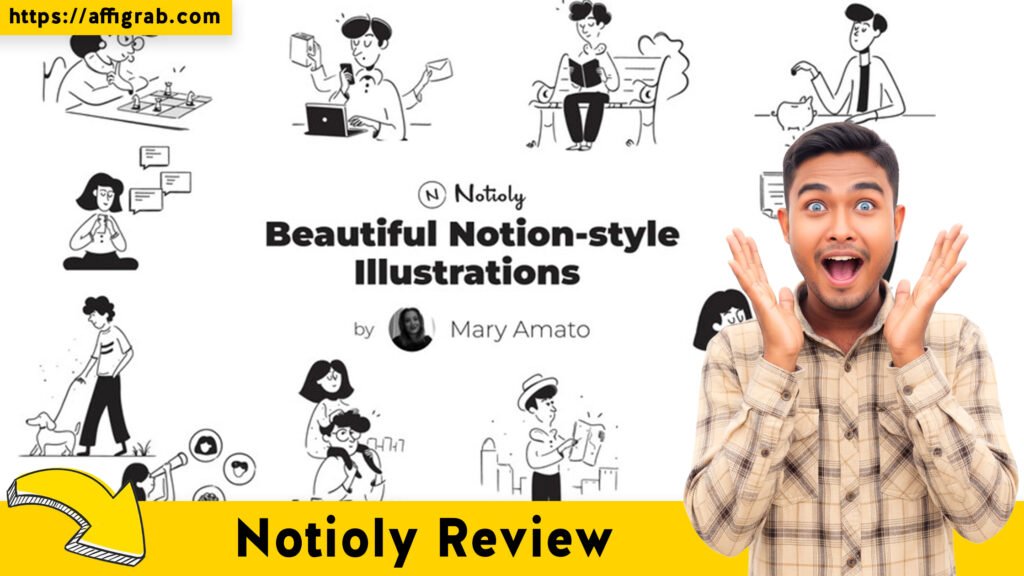
The style is unmistakable. It mimics the high-contrast, black-and-white minimalist art popularized by Notion. The lines are bold but elegant, and the characters have that faceless, abstract charm that works perfectly for modern SaaS landing pages, pitch decks, and, of course, Notion templates. It avoids the “corporate stock photo” vibe entirely, feeling much more boutique and human.
Key Design Highlight: Stroke Consistency
The most critical feature—and the one that sets Notioly apart from generic bundles—is the absolute consistency of stroke width.
In many cheap bundles, one illustration has thick, cartoonish lines while another has thin, technical lines. You can’t use them on the same page without it looking messy. With Notioly, all 500+ illustrations share the exact same brush weight and ink style. You can place an illustration of a “Rocket Ship” next to a “Person on a Laptop,” and they look like they were drawn for the same brand. This cohesion is invaluable for building professional UI/UX projects.
Deep Dive into Core Features (Hands-On Analysis)
To see if this deal is production-ready, I broke down the key technical aspects you need to know.
1. Vector Scalability
The deal includes both PNG and SVG files. I tested the SVGs by scaling them up to 3000px wide. The curves remained perfectly smooth with zero pixelation. These are true vectors, not just vectorized bitmaps, meaning they are suitable for everything from tiny mobile app icons to large print posters.
2. Customizability
Because the assets are delivered as standard SVGs, they are compatible with virtually any design tool—Figma, Sketch, Adobe Illustrator, Canva, and even PowerPoint. You are not locked into a specific ecosystem.
3. Monthly Updates
Unlike many “abandonware” lifetime deals, the creator (Mary Amato) is active. The library has grown from an initial ~200 to over 500 assets, with new drops occurring regularly. The “Lifetime” promise here actually includes these future updates, which is a massive value add.
4. Commercial License
The AppSumo deal terms are generous. You get a broad Commercial License, allowing you to use these assets in unlimited end products for yourself or clients.
- Allowed: Client websites, YouTube thumbnails, your own Notion templates for sale, mobile apps.
- Not Allowed: Reselling the raw SVG pack itself or creating a competing “illustration builder” site.
MANDATORY: The Hands-On Workflow Test
Can a non-designer customize these assets in under 2 minutes?
The Challenge: I wanted to take a standard Notioly illustration and brand it for a fictional tech startup with a specific brand color (Orange #FF5733).
The Workflow:
1. I selected the “Remote Work” illustration from the library (a character sitting at a desk with a cat).
2. I uploaded the SVG file directly into Canva (a common tool for solopreneurs).
3. Canva instantly recognized the vector paths. I clicked on the character’s shirt, selected the color picker, and pasted my hex code #FF5733.
4. Next, I wanted the “cat” to be hidden to make it more corporate. I selected the cat vector path and hit delete.
The Outcome: The file didn’t break. The shirt changed color perfectly, and the image remained crisp. I was able to export a transparent PNG for my website in less than 60 seconds. This confirms the files are cleanly layered and fully editable.
Deal Economics and Market Comparison
Is this deal actually saving you money? Let’s look at the math.
LTD Value Breakdown
- Notioly Lifetime Deal: ~$29 (one-time payment)
- Icons8 (Ouch!) Vector Plan: ~$21/month (billed annually, approx $252/year)
The Math: By purchasing Notioly, you break even in roughly 6 weeks of what you would pay for an Icons8 subscription. Over the course of a year, you save over $220.
Competitor Comparison
| Feature | Notioly (AppSumo LTD) | Icons8 (Ouch!) |
| Cost | $29 One-Time | ~$250+ / Year |
| Library Size | ~500+ Assets | Millions of Assets |
| Style Variety | Single (Consistent Notion-Style) | Massive Variety (3D, Flat, etc.) |
| File Types | SVG + PNG | SVG + PNG (on paid plans) |
| Searchability | Manual Folder Browsing | Advanced Search & AI Plugins |
| Best For | Branding Consistency | Infinite Variety |
Who is this LTD Best For?
- Notion Creators: If you sell templates, this pays for itself with one sale.
- Solopreneurs: If you want your personal brand to look premium without hiring an illustrator.
- Agencies: If you need a “go-to” safe style for B2B client decks that looks modern but professional.
Final Verdict
Notioly is a rare find in the AppSumo marketplace: a creative asset that prioritizes quality over quantity. It doesn’t try to be “everything for everyone.” Instead, it tries to be the best option for that specific, highly coveted minimalist aesthetic.
Pros & Cons
| Pros | Cons |
| ✅ No Recurring Fees: Own it forever for the price of a lunch. | ❌ Library Size: 500+ is great, but tiny compared to stock giants. |
| ✅ True Vectors: Clean paths that are easy to edit in Canva/Figma. | ❌ Specific Style: If you hate the “Notion look,” this isn’t for you. |
| ✅ Stroke Consistency: Mix and match any asset seamlessly. | ❌ No Search Plugin: You have to manually browse folders. |
| ✅ Active Updates: The library continues to grow. |
Conclusion
If you are looking for a “forever library” of illustrations that you can rely on for clean, modern UI and content creation, Notioly is a No-Brainer.
It will not replace a subscription like Shutterstock if you need photos or 3D renders. However, as a dedicated tool for minimalist vector art, it is superior in consistency and unbeatable in price. Stop paying monthly rent for your icons—buy this once and keep it forever.
🔥Get Lifetime Access to Notioly on AppSumo
(Affiliate Disclosure: This review contains affiliate links. If you purchase through these links, I may earn a commission at no extra cost to you. I only review products I believe in.)
Explore Our Pages: WP Themes, WP Plugins, Blog