

Notion Agency Kit Managing a digital agency or freelance business often feels like a balancing act performed on a tightrope of subscriptions. You have Asana for tasks, HubSpot for leads, QuickBooks for invoicing, and Slack for communication. The “subscription fatigue” is real, and the fragmentation of data across four different tabs is a productivity killer.
Enter Notion Agency Kit, a featured deal on AppSumo that promises to centralize your entire agency operation—Projects, CRM, and Finances—into a single Notion workspace for a one-time price.
But can a $25 template genuinely replace a powerhouse SaaS like Asana? I tested it to find out.
Table of Contents
First Impressions & Architecture
Design & Architecture
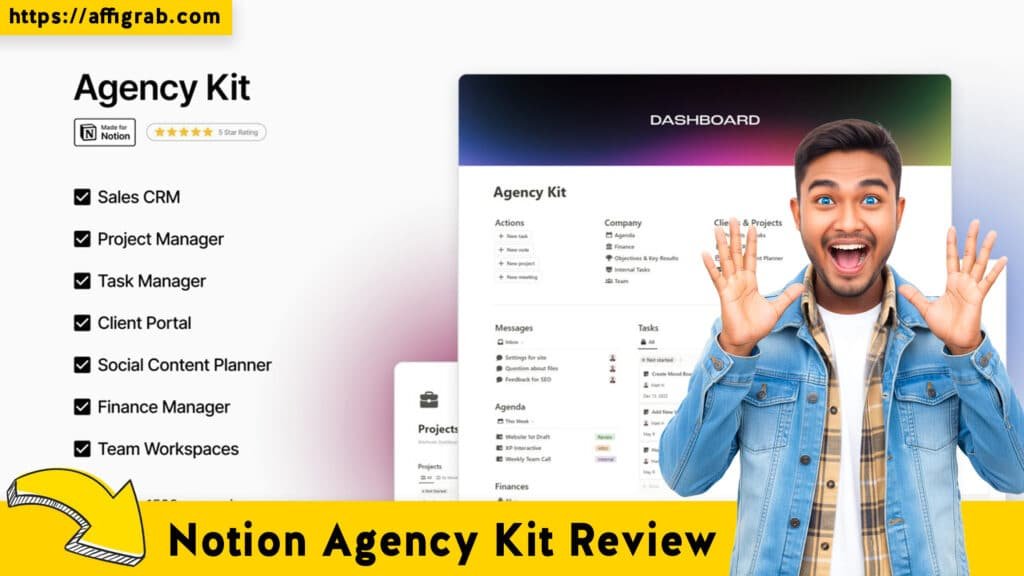
Upon first opening the workspace, the difference between Notion Agency Kit and a tool like Asana is immediately apparent. Asana forces you into its logic (Teams > Projects > Tasks). Notion Agency Kit, however, utilizes Notion’s clean, minimalist aesthetic to present a “Master Dashboard.”
🔥 Click Here to Grab the Lifetime Deal Before it’s Gone!
This dashboard is the command center. It is visually calming but information-dense. Instead of just seeing “Tasks due today,” you see a holistic view: Active Projects, Sales Pipeline status, and Monthly Revenue—all on one screen.
Setup Experience
The “onboarding” is essentially a duplication process.
- Time to launch: < 5 minutes.
- Process: I clicked the access link, hit “Duplicate” in the top right corner, and the entire operating system was copied to my private Notion workspace.
Key Design Highlight: The Integrated Ecosystem
The standout feature here is the database architecture. In Asana, your “Revenue” doesn’t talk to your “Tasks” unless you pay for expensive integrations. In Notion Agency Kit, the databases are relational. The CRM database is linked to the Projects database, which is linked to the Finance database. This creates a “Single Source of Truth” that feels surprisingly robust for a template.
Deep Dive & Hands-On Simulation
🔥 Click Here to Grab the Lifetime Deal Before it’s Gone!
To move beyond a superficial look, I analyzed the core pillars of the system and ran a specific simulation to test the workflow.
Feature Analysis
1. Project & Task Management: The kit offers standard Kanban and List views. It mimics Asana’s board view well, allowing for drag-and-drop status updates. It lacks Asana’s native “Task Dependencies” out of the box (unless you are an advanced Notion user), but it covers 90% of standard project needs.
2. Sales CRM: This replaces the need for a basic Pipedrive or Trello sales board. You can track leads by “Cold,” “Warm,” and “Closed,” with a calculated property for potential revenue.
3. Finance & Invoicing: This is where the kit punches above its weight. You can generate simple invoices and track expenses directly next to the project that incurred them.
The Simulation: Onboarding “Zenith Design”
To verify if the relational databases actually save time, I simulated a real-world scenario: Onboarding a new client, “Zenith Design,” for a website revamp.
The Workflow:
- CRM Entry: I created a new Lead named “Zenith Design” in the CRM pipeline and marked the status as “Won.”
- Project Creation: I clicked into the Zenith client page and created a new Linked Project called “Zenith Web Revamp.” I assigned a “High Priority” tag.
- Client Portal: I generated a sub-page within the project to serve as a Client Portal. I embedded a Google Drive link for assets and a timeline view so the client could see progress without seeing our internal notes.
- Finance Test: I logged a $2,500 deposit invoice linked to this project.
🔥 Click Here to Grab the Lifetime Deal Before it’s Gone!
The Result:
The connectivity was seamless.
- The $2,500 immediately reflected in the Master Dashboard’s Revenue Widget.
- The Project appeared on my Task List.
- The Client Portal was easily shareable via a public Notion link.
In Asana, I would have had to create the project, switch to my accounting software to log the invoice, and perhaps use a third tool to share a portal. Here, it took 3 minutes in one tab.
Deal Economics and Market Comparison
This is where the Notion Agency Kit becomes a “no-brainer” for smaller teams.
The Financial Reality
Let’s look at the math for a small agency team of 3 people.
1. Asana (Starter Plan): Approx. $30.49/user/month (billed annually).
- Total: ~$365.88 / year.
- Note: This price increases every year and doesn’t include CRM or Invoicing software.
2. Notion Agency Kit (AppSumo LTD): ~$25.00 (One-time).
- Total: $25.00 flat.
- Note: You may need a Notion Plus plan ($8/user/mo) if you have a large team, but for solo/duo users, the free Notion plan often suffices.
Comparison: Asana vs. Notion Agency Kit
| Feature | Asana (SaaS) | Notion Agency Kit (Template) |
| Pricing Model | Recurring Subscription | One-Time Payment |
| Structure | Rigid (Hard to break) | Flexible (Fully customizable) |
| Scope | Project Management Only | All-in-One (PM, CRM, Finance) |
| Client Access | Guest Accounts (Can be complex) | Public Pages (Easy sharing) |
| Best For | Large Teams, Enterprise Compliance | Freelancers, Agencies (1-10 people) |
Final Verdict
Is Notion Agency Kit a replacement for Asana? For enterprise teams, no. But for boutique agencies and freelancers, it is actually an upgrade.
🔥 Click Here to Grab the Lifetime Deal Before it’s Gone!
Pros and Cons
| Pros | Cons |
| No Recurring Fees: Buy it once, own the system forever. | Setup Curve: Requires basic understanding of Notion to maintain. |
| Total Customization: You can change properties, views, and layouts to fit your workflow. | Manual Automation: No native “If X then Y” automation without using Zapier or Notion’s paid AI features. |
| All-in-One: Combines CRM, Finance, and PM, eliminating context switching. | Mobile App: Notion’s mobile app is slower and clunkier than Asana’s native app. |
| Client Portals: aesthetically pleasing and easy to share. | Offline Mode: Notion’s offline capabilities are still limited compared to native apps. |
Conclusion
The Notion Agency Kit is a “Must-Buy” for early-stage agencies, consultants, and freelancers who are tired of “renting” their project management software.
While it lacks the rigid guardrails and native automation of Asana, it compensates with incredible flexibility and financial integration. If you want to build an operating system that fits your business like a glove—without the monthly overhead—this is the best $25 investment you will make this year.
🔥 Click Here to Grab the Lifetime Deal Before it’s Gone!
Explore Our Pages: WP Themes, WP Plugins
Affiliate Disclosure: This review is based on an objective analysis of the product. Some links may be affiliate links, meaning I earn a small commission if you purchase through them, at no extra cost to you.