
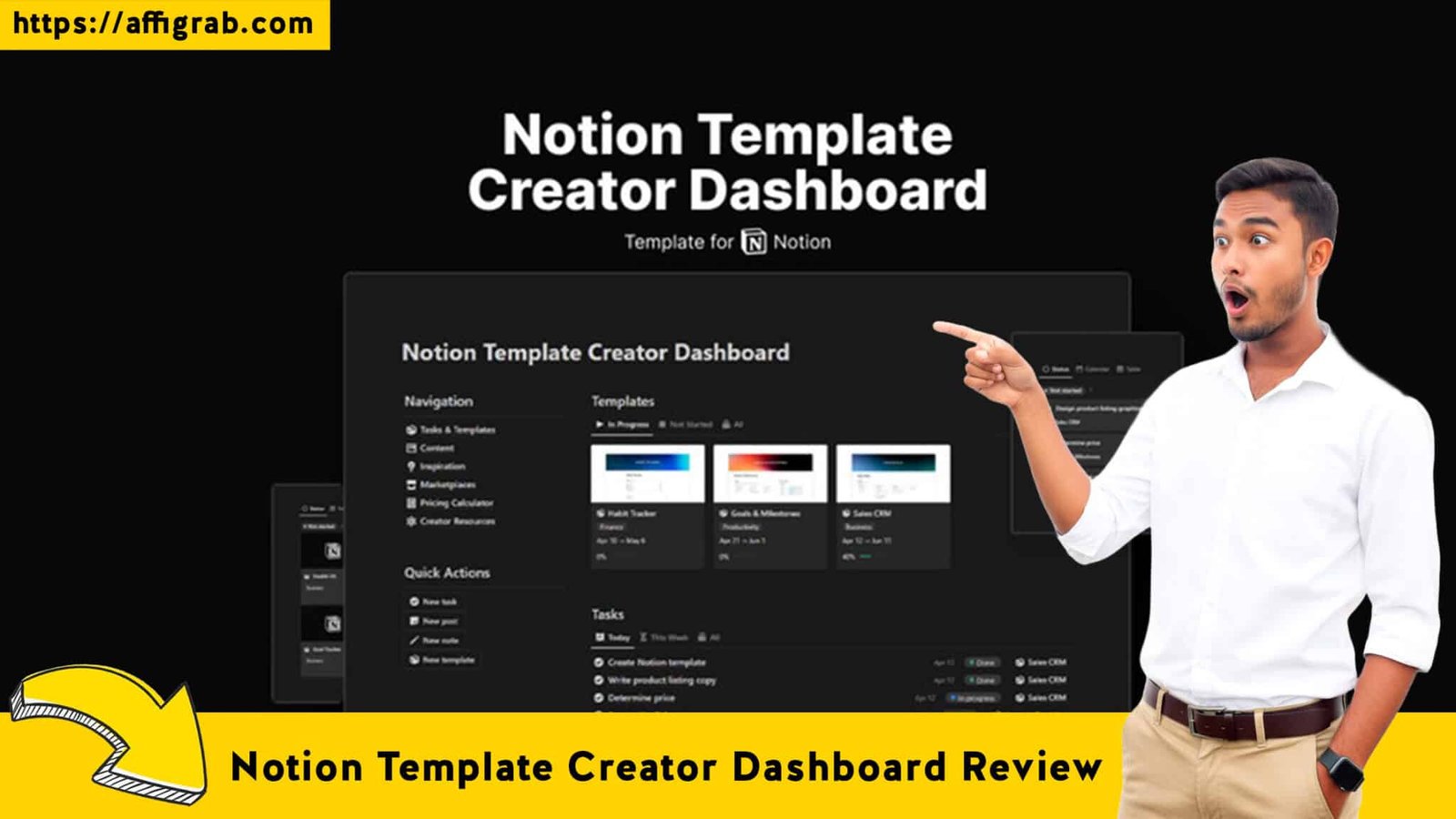
Notion Template Creator Dashboard If you are a digital product seller, a freelancer, or an aspiring side-hustler, you know the specific type of chaos that comes with launching a product. You likely have product ideas buried in Apple Notes, launch checklists scattered across Trello, and marketing assets lost in a random Google Drive folder.
Many creators try to solve this by subscribing to expensive SaaS tools to manage their business. But do you really need another monthly subscription before you’ve even made your first sale?
Enter the Notion Template Creator Dashboard. Currently available as a Lifetime Deal (LTD) on AppSumo, this tool promises to be the “Command Center” for your digital business. Instead of a rigid software interface, it offers a flexible, one-time-payment system to manage everything from ideation to the final launch.
In this review, I’m diving deep into whether this $9 investment can truly replace the need for expensive productivity suites and how it stacks up against heavy-hitter SaaS tools like Senja in terms of pure ROI.
Table of Contents
First Impressions & UI/UX
As an experienced reviewer of productivity ecosystems, my first criterion is always “Cognitive Load.” Does opening the tool make me feel organized or overwhelmed?
Upon duplicating the Notion Template Creator Dashboard into my workspace, the immediate feeling was one of clarity. Because it leverages Notion’s native architecture, the UI is clean, minimalist, and fully compatible with both Light and Dark modes. There is no learning curve regarding the interface buttons if you are already a Notion user.
🔥 Click Here to Grab the Lifetime Deal Before it’s Gone!
Setup Time & Navigation
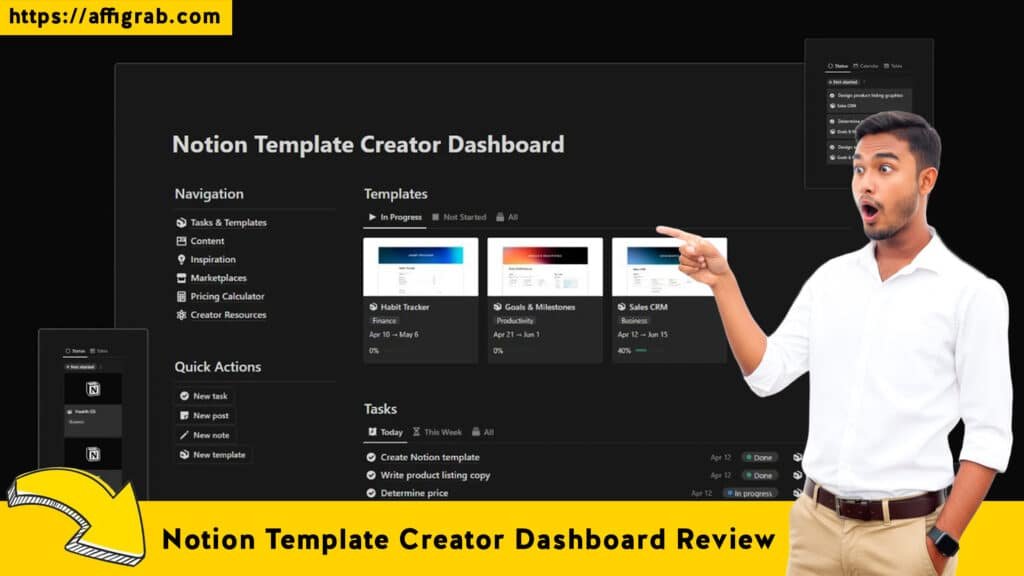
The setup was instantaneous—literally a single click to duplicate. Unlike complex SaaS tools that require API integrations and onboarding wizards, this system is ready to use immediately. The navigation relies on a centralized dashboard rather than scattered pages, meaning you don’t have to hunt for your databases; they are all surfaced on the home screen.
Key Design Highlight: The “Creator Hub”
The standout UX feature is undoubtedly the “Creator Hub.” The developer has designed this not just as a storage unit, but as a linear workflow. The layout visually guides you from left to right: starting at “Idea Generation,” moving through “Product Development,” and ending at “Final Launch.” This subtle design choice reduces procrastination because the next step is always visually obvious.
Deep Dive into Core Features (Hands-On Analysis)
While the dashboard looks pretty, a productivity system is only as good as its utility. I analyzed the three pillars of this system: Management, Strategy, and Assets.
🔥 Click Here to Grab the Lifetime Deal Before it’s Gone!
1. Idea & Project Management
The core of the dashboard is a robust Kanban-style board for template ideas. It allows you to tag ideas by niche (e.g., Productivity, Finance, Lifestyle) and status (Backlog, In Progress, Done). It utilizes Notion’s “Relations” feature well, linking specific tasks to specific projects so nothing gets lost.
2. Launch Checklists & Strategy
This is where the tool transitions from a “notebook” to a “business manager.” It comes pre-loaded with Standard Operating Procedures (SOPs) for launching. It includes checklists for major platforms like Product Hunt, AppSumo, and Gumroad, ensuring you don’t miss critical metadata or image requirements.
3. Marketplace Directory & Asset Library
The dashboard includes a curated database of over 100 places to list your products. For a beginner, this is gold; it removes the need to Google “where to sell digital products.” Paired with this is the Asset Library, which acts as a digital asset management (DAM) system for your thumbnails, social copy, and banners.
MANDATORY TEST CASE: Simulating a “Finance Tracker” Launch
To truly test the workflow efficiency, I didn’t just click around—I simulated a full product launch for a hypothetical product called the “Ultimate Finance Tracker 2.0.”
- The Setup: I created a new Project Card in the Idea Bank and tagged it as “High Priority.”
- ** The Workflow:** I moved the card to the “In Progress” stage. Inside the card, I opened the Content Planner section and uploaded my (hypothetical) Figma thumbnails and wrote three variations of my sales copy.
- The Check: I then applied the pre-set “Gumroad Launch Checklist.”
- The Outcome: This was the “aha” moment. The checklist flagged a step I hadn’t thought of: “Create Cover Image for Social Share Preview.” Without the system, I would have launched with a broken social link. The dashboard effectively acted as a project manager, ensuring all deliverables were centralized and verified before I hit “Publish.”
Deal Economics and Market Comparison
🔥 Click Here to Grab the Lifetime Deal Before it’s Gone!
This is where the conversation shifts from “Features” to “Smart Business.” We are comparing the Notion Template Creator Dashboard (a System) against a SaaS competitor like Senja (a Tool).
While Senja is a phenomenal tool for collecting testimonials, it is a recurring cost. For a new creator, the economics of a System vs. SaaS comparison are vital.
The Cost of “Renting” vs. “Owning”
Senja’s starter plans can range around $59 per month. That is roughly $708 per year.
The Notion Template Creator Dashboard is a ~$9 one-time payment.
If you are just starting, paying monthly fees for SaaS tools before you have revenue is a trap. This dashboard offers a manual, but highly effective, alternative to managing your business infrastructure. You own the system forever.
Comparison: Notion Dashboard vs. SaaS (Senja)
| Feature | Notion Creator Dashboard | SaaS Competitors (e.g., Senja) |
| Cost Model | ~$9 One-Time (LTD) | $59 / Month (Recurring) |
| Primary Function | Business Management & Workflow | Niche Feature (e.g., Testimonials) |
| Flexibility | 100% Customizable (It’s Notion) | Rigid (You must use their UI) |
| Data Ownership | You own the data completely | Data locked behind subscription |
| Automation | Low (Requires manual updates) | High (Automated collection/display) |
Who is this LTD Best For?
This deal is perfect for aspiring creators, solopreneurs, and organized freelancers who want to build a “Digital Product Empire” without incurring high monthly overheads. It is for the builder who values profit margin over automation.
Final Verdict
🔥 Click Here to Grab the Lifetime Deal Before it’s Gone!
After putting the Notion Template Creator Dashboard through a realistic launch simulation, my verdict is clear. While it lacks the automation of dedicated SaaS platforms, the organizational ROI it provides for the price of a sandwich is unbeatable.
Pros & Cons
| Pros | Cons |
| Incredible Value: One-time $9 cost is negligible for the utility provided. | Manual Entry: Unlike SaaS, you must manually input data; nothing is automated. |
| Centralized Workflow: Keeps ideas, assets, and tasks in one “Hub.” | Notion Curve: Requires basic familiarity with Notion to customize fully. |
| Pre-built Strategy: The included launch checklists and directory save hours of research. | Mobile Experience: Relies on the Notion app, which can be clunky for complex dashboards. |
| Fully Customizable: You can tweak the system as your business grows. |
Conclusion
If you are serious about selling digital products, you need a system. You can either cobble one together yourself over 20 hours, or you can buy the Notion Template Creator Dashboard for roughly $9 and start working immediately.
While it doesn’t replace the automated power of tools like Senja for established businesses, it is the superior choice for builders in the “0 to 1” phase. It transforms the chaos of creation into a streamlined process.
🔥 Click Here to Grab the Lifetime Deal Before it’s Gone!
Disclaimer: This article contains affiliate links. If you purchase through these links, I may earn a commission at no additional cost to you. I only review products I have personally tested and believe in.
Explore Our Pages: WP Themes, WP Plugins