
Learn To Code In Google Sheets is a phrase that intimidates many marketers and data analysts. We all know the pain: staring at a spreadsheet for hours, manually copying and pasting data, terrified that one wrong click will break a formula. You know automation is the answer, but traditional coding courses feel overwhelming, dry, and expensive.
Enter Better Sheets, specifically their “Learn To Code In Google Sheets” course, currently available on AppSumo. This isn’t a university-level computer science degree; it is a tactical, laser-focused guide designed to take you from a spreadsheet novice to an automation wizard.
In this review, I will break down whether this $9 lifetime deal is merely a cheap collection of videos or a legitimate career-boosting tool that can save you hundreds of hours of manual work.

Table of Contents
First Impressions & Course Structure
When I first accessed the dashboard, I was refreshed by the user experience (UX). Unlike clunky Learning Management Systems (LMS) that hide content behind endless menus, the Better Sheets interface is clean and direct. The modules are organized logically, moving from the absolute basics of opening the script editor to building complex tools.
Get the “Learn To Code In Google Sheets” Lifetime Deal on AppSumo for $9
The Learning Curve
The biggest barrier to entry for coding is the jargon. Most courses start with abstract theory. Better Sheets takes a different approach. The videos are “bite-sized”—usually 5 to 10 minutes long—which makes the content highly accessible. You don’t need to block out three hours of your day; you can watch a tutorial while drinking your morning coffee and implement a fix immediately.
Key Content Highlight: Practicality Over Theory
The standout feature of this course is its philosophy. It avoids “coding for the sake of coding.” You won’t find hours of lectures on algorithmic theory here. Instead, the curriculum focuses entirely on practical, real-world spreadsheet problems. The instructor assumes you have a job to do and shows you exactly how to use Google Apps Script (GAS) to do it faster. It feels less like a classroom and more like looking over the shoulder of a pro developer.
Deep Dive into Core Features (Hands-On Analysis)
To truly evaluate the value of this deal, I analyzed the four pillars of the course material:
1. Google Apps Script (GAS) Fundamentals: Demystifying the function() and variable syntax for non-coders.
2. Automation Workflows: Connecting Sheets to Gmail, Calendar, and other workspace apps.
3. Custom Functions: Creating your own formulas when VLOOKUP or QUERY aren’t enough.
4. Copy-Paste Script Library: Access to pre-written code snippets you can use immediately.
Mandatory Hands-On Test Case: Automating Email Reports
Get the “Learn To Code In Google Sheets” Lifetime Deal on AppSumo for $9
I believe you can’t review a coding course without actually writing code. To test the teaching efficacy, I followed the “Automate Email Reports” module.
The Scenario: I created a blank Google Sheet filled with dummy sales data (names, emails, and purchase amounts). My goal was to send a customized “Thank You” email to each row with a single click.
The Process: Following the instructor’s step-by-step guide, I opened the Apps Script extensions. The instructor explained the MailApp.sendEmail function without using confusing terminology. I wrote the script alongside the video.
The Result: In under 20 minutes, I had created a custom menu item in my spreadsheet called “Send Emails.” I clicked it, and sure enough, my inbox pinged with the exact data pulled from the cells.
Analysis: The code worked on the first try. The explanation was crystal clear, and seeing the immediate result (an actual email) provided a massive dopamine hit. This confirmed that the method is practical and genuinely beginner-friendly.
Deal Economics and Market Comparison
The $9 Lifetime Value
Get the “Learn To Code In Google Sheets” Lifetime Deal on AppSumo for $9
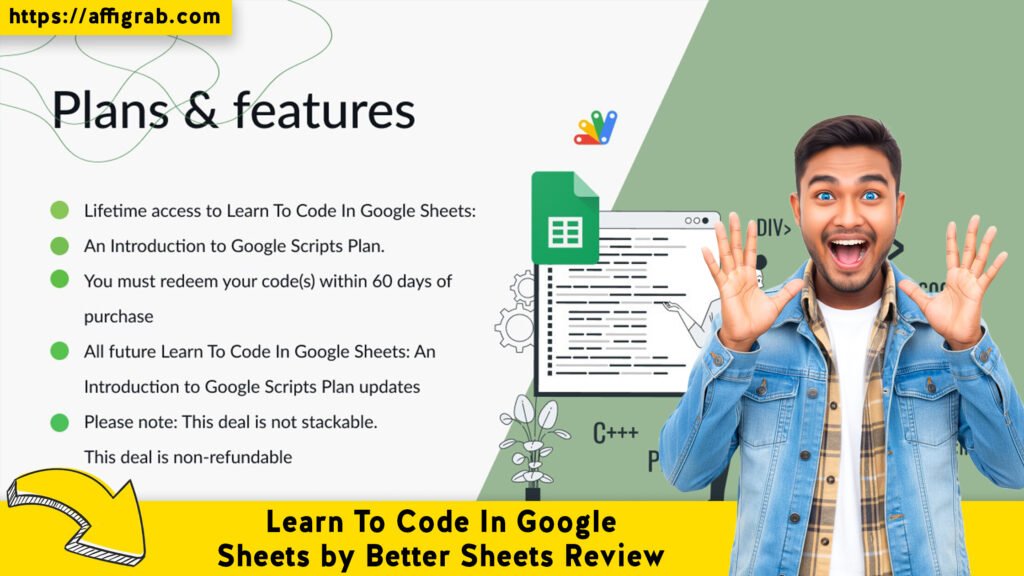
Let’s talk numbers. The AppSumo lifetime deal is priced at $9.
- Competitors: A single specialized Udemy course on Google Apps Script often runs between $15 and $100 (depending on sales).
- Bootcamps: General coding bootcamps cost $1,000+.
If this course helps you write one script that saves you 20 minutes a week, the ROI is instant. If you charge $50/hour for your time, the course pays for itself in just over 10 minutes of saved labor.


Better Sheets vs. Standard Courses
How does this stack up against the giants like Coursera or Udemy?
| Feature | Better Sheets (AppSumo) | Standard Udemy/Coursera |
| Price | $9 (One-time Lifetime) | $15 – $200 (Per course) |
| Focus | Google Sheets Exclusively | General JavaScript / Broad Topics |
| Teaching Style | “Over the shoulder” Practical | Academic / Theoretical |
| Script Library | Included (Copy/Paste ready) | Rarely Included |
| Updates | Lifetime Updates Included | Often requires buying new version |
Who is this LTD Best For?
This deal is not for software engineers who already know JavaScript. It is specifically designed for Excel/Sheets power users, marketers, and solopreneurs who want to level up their careers and automate boring tasks but are intimidated by “real” programming.
Get the “Learn To Code In Google Sheets” Lifetime Deal on AppSumo for $9
Final Verdict
Is “Learn To Code In Google Sheets” worth the price of a fancy coffee? Absolutely. While it won’t make you a full-stack developer overnight, it gives you the specific superpowers needed to dominate Google Workspace.
Pros and Cons
| Pros | Cons |
| Insane Value: At $9, it is arguably the best ROI on AppSumo. | Niche Focus: The skills are specific to Google Sheets (though based on JavaScript). |
| Practical Examples: Solves real business problems (emails, invoices, etc.). | No Certification: You don’t get an accredited university certificate. |
| Beginner Friendly: jargon-free teaching style. | Text Support: Support is generally via community/text, not 1-on-1 coaching. |
| Lifetime Access: You get all future updates to the course. |
Conclusion
If you work with data daily, “Learn To Code In Google Sheets” by Better Sheets is a Must-Buy. The barrier to entry is non-existent at this price point, and the skill acquisition—learning to automate your workflow—is invaluable. It bridges the gap between a spreadsheet user and a data automation expert.
Don’t keep doing manual data entry. Grab this deal, spend an afternoon learning, and save yourself hundreds of hours this year.
Get the “Learn To Code In Google Sheets” Lifetime Deal on AppSumo for $9
Affiliate Disclosure: This review is based on my honest experience with the product. If you purchase through the links above, I may earn a small commission at no extra cost to you. This supports my ability to test and review more tools.
Explore Our Pages: WP Themes, WP Plugins