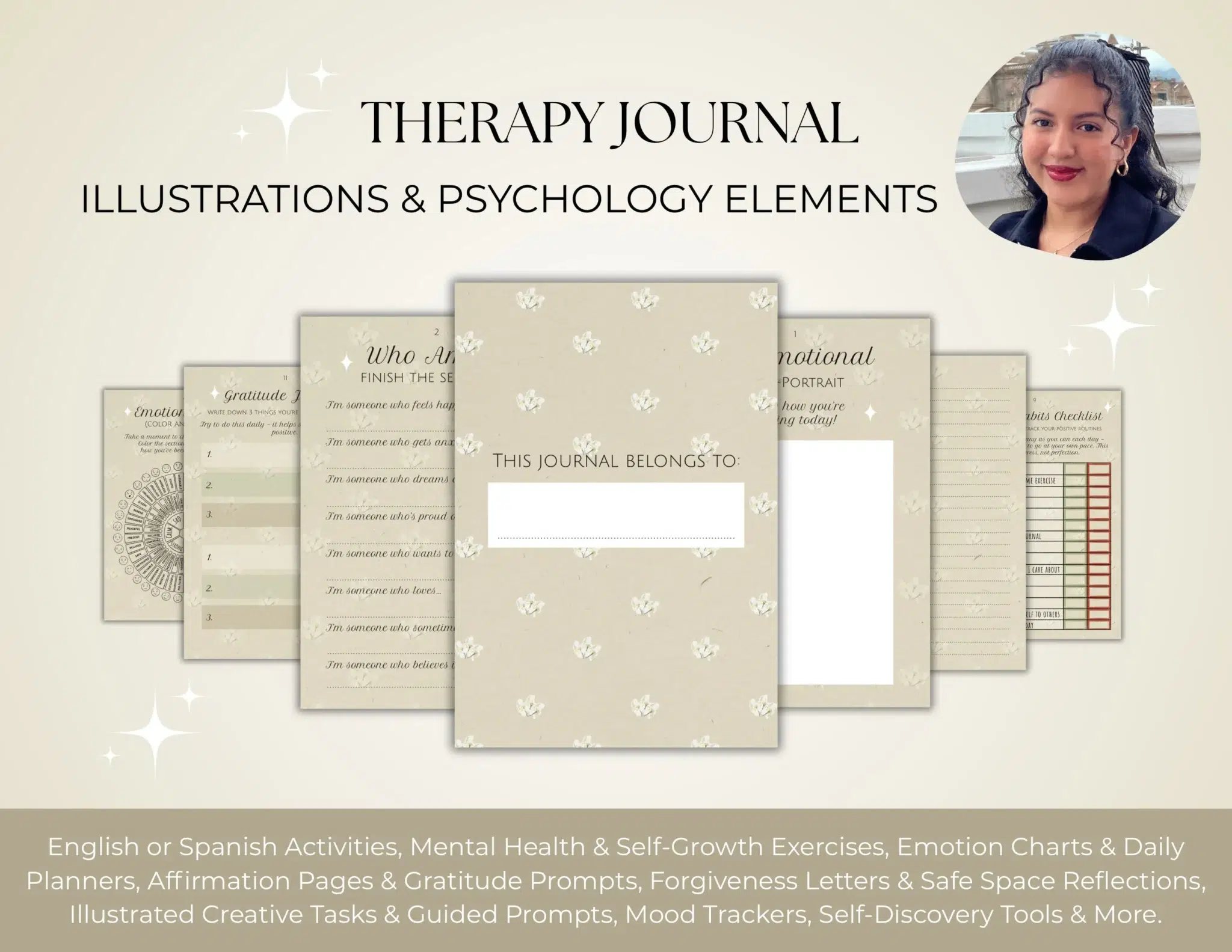
Journal sticker design has revolutionized the way we approach organization, turning a once-static planning routine into a vibrant, interactive digital experience. In the era of the paperless office and digital nomadism, the transition from physical planners to iPad-based systems has created a massive demand for high-quality, custom visual assets.
Whether you are a student trying to color-code a rigorous exam schedule or a professional looking to gamify your daily to-do list, the right journal sticker pack can be the difference between a cluttered digital notebook and a streamlined productivity hub.
Table of Contents
This shift isn’t just about utility; it’s about the “aesthetic productivity” movement. Users no longer want generic icons; they want digital stationery that reflects their personality. A custom-designed journal sticker allows for a level of personalization that physical stickers simply cannot match. You can resize them, reuse them infinitely, and layer them to create complex layouts that help you visualize your goals.

As we dive into this deep dive, we will explore why these tiny pieces of digital art have become the cornerstone of modern organization and how you can leverage professional digital illustrations to elevate your planning game.
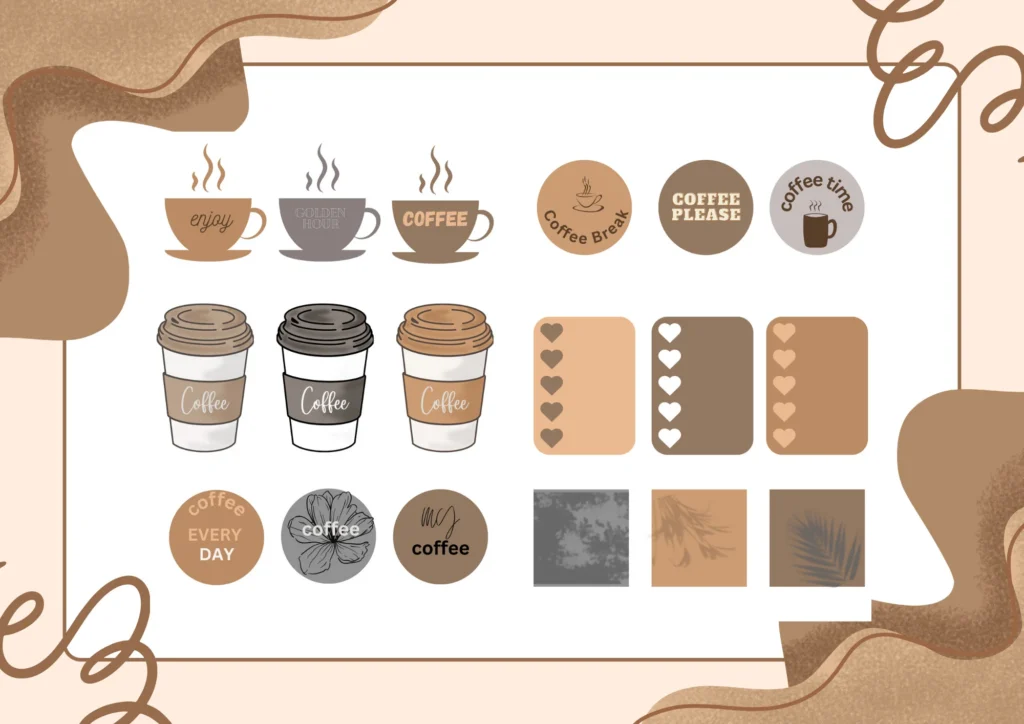
The Evolution of Journaling: From Paper to Digital Pixels
The journey of the journal sticker began in the world of traditional scrapbooking and bullet journaling. For decades, enthusiasts spent hundreds of dollars on physical washi tape, adhesive labels, and hand-drawn icons. However, the physical medium had its limitations: once a sticker was placed, it was permanent, and your supply was finite.
The digital revolution changed the landscape entirely. When tablets and styluses became sophisticated enough to mimic the feel of pen on paper, the journal sticker evolved into a versatile digital asset. Now, a single journal sticker file can be used across multiple planners, synchronized across devices, and adjusted to fit any layout.
Why Digital Stickers are Replacing Traditional Stationery
Infinite Reusability: Unlike physical stickers, a digital journal sticker never runs out. One purchase provides a lifetime of use.
Zero Bulk: Digital planners don’t expand or become heavy as you add more decorations.
Eco-Friendly: Moving to a digital journal sticker workflow reduces paper waste and the environmental impact of shipping physical goods.
Precision Editing: Tools like GoodNotes allow you to rotate, scale, and crop your journal sticker with pixel-perfect accuracy.
The Rise of the “Aesthetic Productivity” Movement Planning is no longer just about “getting things done.” It is about enjoying the process. Social media platforms like Pinterest and Instagram have fueled a trend where the visual appeal of a planner is just as important as the content. A well-placed journal sticker acts as a visual anchor, making the task of checking off a list feel like a rewarding creative endeavor.
🎨 Browse Unique Journal Sticker Designs
Understanding the Versatility of Digital Illustrations for Planners
When you commission a professional for a journal sticker project, you aren’t just buying a picture; you are investing in a functional tool. The versatility of these illustrations lies in their ability to bridge the gap between art and utility.
Functional vs. Decorative: Finding the Balance A great journal sticker collection usually serves two purposes.
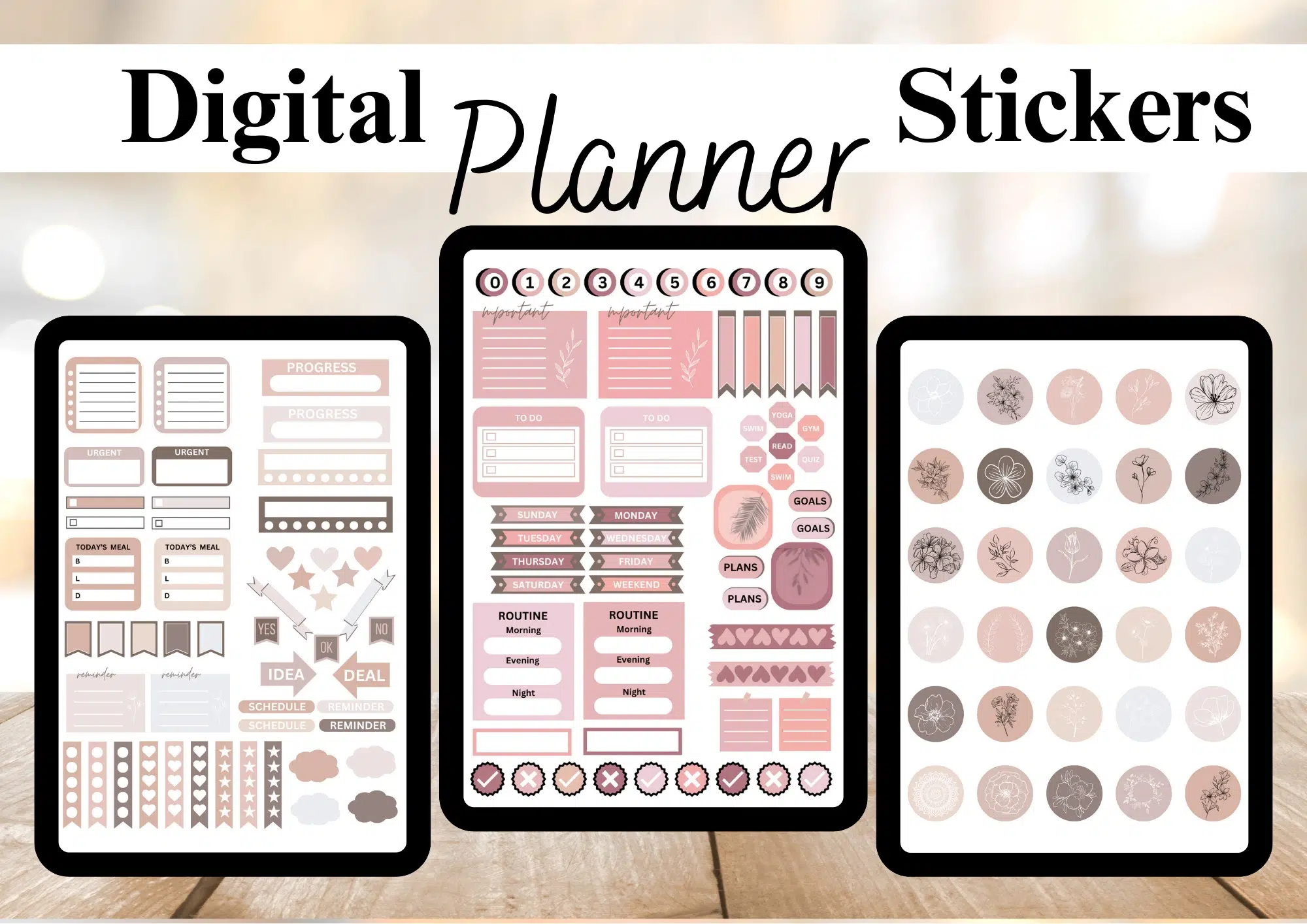
- Functional Stickers: These include hand-drawn icons for weather, water intake trackers, “To-Do” headers, and appointment banners. They are designed to categorize information quickly.
- Decorative Stickers: These are purely for vibe. Think of floral illustrations, “Chiikawa” style characters, or abstract shapes that fill empty spaces and make the page look cohesive.
By combining these two types, your planner becomes a balanced ecosystem. A journal sticker that looks like a sticky note can hold a priority task, while a decorative journal sticker next to it keeps the layout from feeling too “corporate.”
How Custom Illustrations Enhance Personal Branding For influencers, coaches, and business owners, a custom journal sticker is a subtle but powerful branding tool. By using consistent user interface elements and brand-specific colors in your digital stickers, every screenshot you share of your planner becomes an extension of your professional identity.
The Technical Anatomy of a High-Quality Journal Sticker
To the untrained eye, a journal sticker is just a small image. However, from a design perspective, it requires technical precision to ensure it looks professional in a digital environment.
Resolution and DPI: Ensuring Crispness on Retina Displays If a journal sticker is designed at a low resolution, it will appear “pixelated” or blurry when you zoom in to write next to it. Professional designers create stickers at 300 DPI (dots per inch) or higher. This ensures that even when you enlarge a journal sticker to fill half a page, the lines remain sharp and the colors vibrant.
The Importance of Transparent Backgrounds (PNG Format) The hallmark of a high-quality journal sticker is the transparent background. Using vector illustration techniques, designers ensure that there is no white “box” around the art. This allows you to layer a journal sticker over digital “washi tape” or colored planner paper seamlessly. Without transparency, the sticker would cover up the lines and grids of your planner, defeating its purpose.
Understanding Color Profiles: RGB for Screen Use Since a journal sticker is primarily viewed on tablets and smartphones, it must be created using the RGB color profile. This ensures that the neon pinks and soft pastels look exactly as intended on a backlit screen. If a designer uses CMYK (meant for printing), the journal sticker might look dull or “muddy” when imported into an app like Notability.
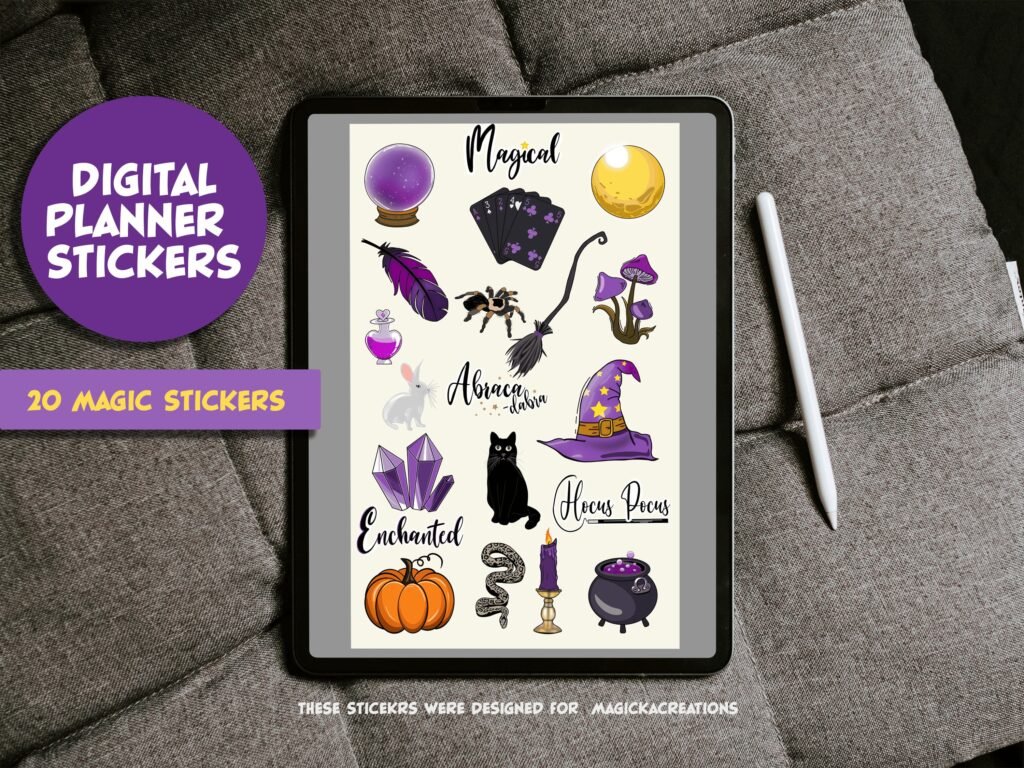
Integrating Your New Stickers into Popular Apps
Once you have acquired your custom journal sticker set, the next step is integration. Most professional designers provide files that are GoodNotes compatible, meaning they might come as a “.goodnotes” file with stickers pre-placed for easy “lasso” copying.


The GoodNotes Workflow: Importing and Organizing Collections GoodNotes features a dedicated “Elements” tool. You can import your journal sticker files into specific categories like “Fitness,” “Work,” or “Self-Care.” This allows you to drag and drop a journal sticker onto your page in seconds without having to browse through your iPad’s photo gallery.
Using Stickers in Notability for Dynamic Note-Taking Notability users often use a journal sticker as a way to highlight key lecture points. Because Notability supports animated GIFs as well, some advanced journal sticker designs even include subtle movements, like a blinking “Urgent” light or a shimmering gold star, which adds a layer of depth to your digital notes.
Creative Layouts in Xodo and Other PDF Annotation Tools For those on Android or Windows, apps like Xodo provide the canvas for your journal sticker art. The key is to maintain a library of folders so that your journal sticker assets are always organized and ready for a quick fundraising strategy session or a creative brainstorming layout.
The Solution: Why This Fiverr Service is the Ultimate Creative Asset
When it comes to finding the perfect journal sticker for your digital ecosystem, the market is flooded with generic, low-resolution “clipart” that lacks character and professional polish. This is where the specialized Fiverr service, “I will design digital illustrations, digital stickers for digital planners or journals,” steps in as a game-changer. For anyone serious about their digital organization—be it a lifestyle influencer, a corporate project manager, or a digital shop owner—this service provides the bridge between standard planning and a high-tier visual experience.
The core value of this specific gig lies in the marriage of artistic talent and technical mastery. Designing a journal sticker is not simply about drawing a pretty picture; it is about creating a functional piece of creative journaling art that integrates flawlessly with software like GoodNotes or Notability. This professional on Fiverr understands the nuances of the digital planning world, offering bespoke illustrations that are tailored to your specific workflow and aesthetic preferences.
The Power of Professional Bespoke Design Most off-the-shelf sticker packs are designed for a broad audience, meaning they often include dozens of icons you will never use while missing the ones you need most. By hiring a professional illustrator, you gain access to a tailored collection. Whether you need a specific set of productivity tools in a muted earth-tone palette or a series of vibrant “Chiikawa” style characters to motivate your daily habits, the customization options are limitless. This service ensures that every journal sticker you place on your page feels like it belongs there, creating a cohesive and satisfying user experience.
✨ Get Custom Hand-Drawn Sticker Sheets
Key Benefits: Elevating Your Planning and Business Growth
Choosing a professional Fiverr expert for your journal sticker needs offers more than just aesthetic improvements. It provides tangible benefits that impact both your personal efficiency and, if you are a seller, your business’s bottom line.
1. Unmatched Visual Organization and Productivity A cluttered planner is a stressful planner. Professional digital illustrations help create a system of visual organization that allows your brain to process information faster.
- Color-Coded Efficiency: Custom stickers can be designed to match specific project categories, allowing you to see your week’s priorities at a glance without reading a single word.
- Consistent Icons: Using a uniform set of hand-drawn icons across your monthly, weekly, and daily spreads creates a “visual language” that reduces cognitive load.
- Motivational Anchors: High-quality art makes the act of planning enjoyable, which increases the likelihood of you sticking to your routine and achieving your long-term goals.
2. High-Resolution Assets for Professional Results One of the biggest frustrations for digital planners is “pixelation.” A low-quality journal sticker will look blurry when you zoom in to write a note. The Fiverr service focuses on delivering high-resolution, pre-cropped PNGs that remain crisp and clear regardless of the zoom level.
- Retina-Ready Quality: Designed specifically for high-end tablet screens, these illustrations maintain their integrity on iPads and Samsung Tabs.
- Precision Cropping: Each journal sticker is delivered as an individual file with transparent borders, meaning you don’t have to waste time using the “freehand crop” tool in your planning app. It’s a drag-and-drop solution that saves hours of setup time.
3. Strategic Advantages for Digital Shop Owners If you are looking to start a side hustle or grow an existing Etsy shop, this Fiverr gig is a powerful engine for business growth. The digital stationery market is booming, and the competition is fierce.
- Unique Value Proposition: By offering unique, custom-commissioned designs rather than stock assets, your digital planner shop stands out. Customers are willing to pay a premium for a journal sticker set that they cannot find anywhere else.
- Scalability: You can commission a base set of stickers and then request seasonal expansions (Summer, Winter, Holiday themes) to keep your storefront fresh and your customers returning.
- Brand Authority: High-quality, original artwork establishes you as a curator of taste and quality, building trust with your audience and increasing the “Lifetime Value” of each customer.
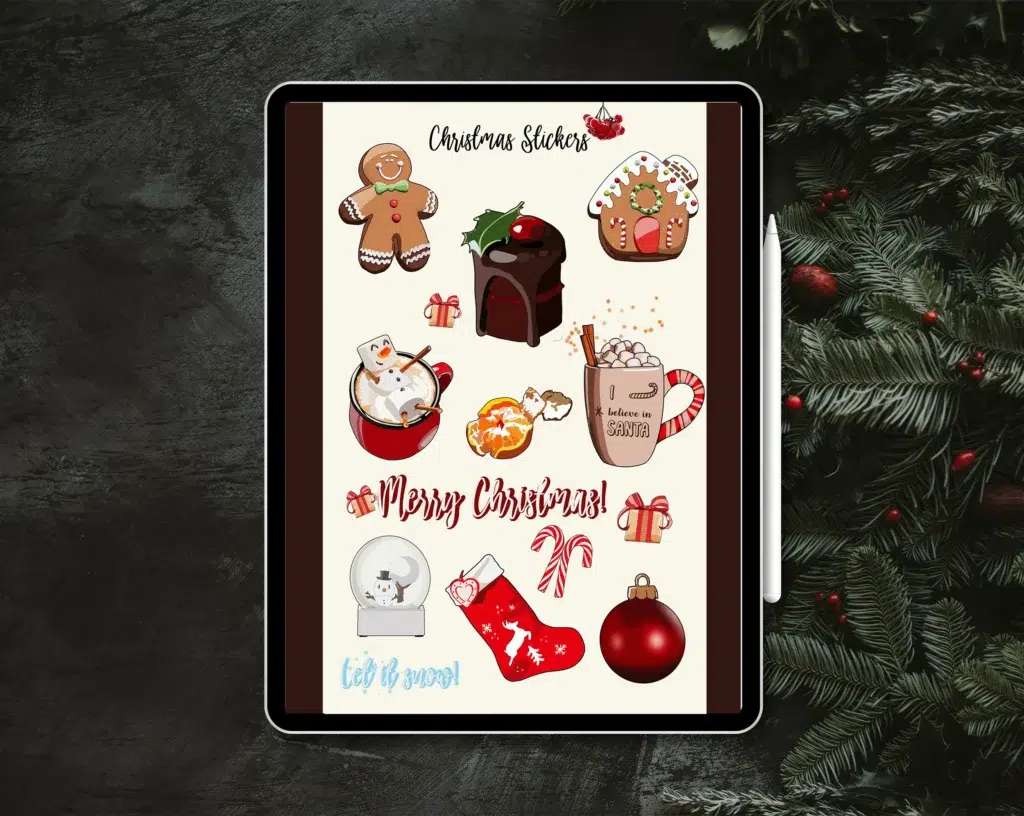
4. Compatibility and Ease of Use A significant benefit of this service is the technical peace of mind it provides. The designer ensures that every journal sticker is optimized for the most popular apps in the niche.
- GoodNotes & Notability Optimized: The files are formatted to be imported directly into the “Elements” tool or as a dedicated sticker book.
- File Versatility: While primarily intended for digital use, the high-resolution nature of these illustrations means they can also be printed on sticker paper for those who still enjoy a hybrid planning approach.
5. Emotional Connection and Personal Expression We live in a digital age where much of our work feels cold and impersonal. Custom journal sticker designs bring a sense of warmth and humanity back into our digital spaces.
- Aesthetic Satisfaction: There is a proven psychological benefit to working in a space that you find beautiful. It lowers cortisol levels and sparks creativity.
- Personalized Storytelling: Your journal is a record of your life. Using stickers that represent your specific pets, hobbies, or local landmarks makes your digital record feel like a true reflection of your journey.
Why AffiGrab.com Recommends This Specific Creator
At AffiGrab.com, our mission is to identify services that offer the best “Return on Investment” for our readers. This Fiverr gig stands out because it doesn’t just provide “art”—it provides a digital aesthetic framework that empowers you to work smarter and live more creatively.
The creator’s ability to translate complex ideas into simple, beautiful, and functional journal sticker assets is rare. By leveraging their expertise, you are bypassing the steep learning curve of graphic design and moving straight to the “results” phase. Whether you are using these stickers to organize your personal life or as the flagship product of your new digital brand, the quality provided here is a foundational step toward success.
In the world of digital planning, your tools are your environment. Don’t settle for a generic environment when you can have one designed specifically for you. A custom journal sticker is more than a decoration; it is a small, vibrant piece of the productivity puzzle that helps you build a life you love.
Who is This For? Identifying the Ideal User
The beauty of a custom journal sticker is its universal appeal, yet there are specific groups that find these digital assets indispensable. Understanding who benefits most from professional illustrations helps clarify why this Fiverr service is a top-tier recommendation for the AffiGrab community.
- The Dedicated Digital Planner: If you live inside apps like GoodNotes or Notability, you know that standard icons can eventually feel stale. This service is for the user who wants a unique, cohesive look that makes opening their iPad the highlight of their day.
- The Etsy and Shopify Entrepreneur: For those building a business in the digital stationery niche, original content is king. Using a professional to design your journal sticker lines ensures you avoid copyright issues and offer a product that stands out in a saturated marketplace.
- Students and Academics: High-stress environments require high-level organization. Students use these stickers to color-code subjects, track assignment deadlines, and create visual cues that make long study sessions more bearable.
- Content Creators and Influencers: If you share “Plan With Me” videos or static shots of your layouts on social media, having a signature journal sticker aesthetic helps build your personal brand and keeps your audience engaged with your unique style.
- Corporate Professionals: Even in a business setting, visual cues are vital. Professional icons for “Meeting,” “Deadline,” and “Project Milestone” turn a dry corporate calendar into a functional dashboard.
🌸 Shop Aesthetic Journaling Stickers
Extensive FAQ: Everything You Need to Know
1. What exactly is a digital journal sticker? A digital journal sticker is a high-resolution image file, typically in PNG format with a transparent background. Unlike physical stickers, these are imported into digital planning apps where they can be moved, resized, and reused infinitely without losing quality.
2. How do I receive the files from the Fiverr designer? Typically, you will receive a ZIP file containing individual journal sticker PNGs. Many sellers also provide a “pre-cropped” GoodNotes file, which allows you to simply copy and paste the stickers directly into your planner without any manual cropping.
3. Can I use these stickers for commercial purposes? This depends on the package you purchase. If you intend to sell the stickers as part of your own planner sets, ensure you select a gig option that includes “Commercial Use” or “Full Copyright.” Most professional designers on Fiverr offer this as an add-on or part of their premium tier.
4. What resolution should I look for in a quality journal sticker? You should always aim for at least 300 DPI. This ensures that when you enlarge a journal sticker to highlight a specific section of your page, it remains sharp and professional rather than becoming a blurry mess of pixels.
5. Are these stickers compatible with Android tablets? Yes! While GoodNotes is the most famous app for this, a journal sticker in PNG format is compatible with any app that allows image imports, including Xodo, Penly, and Noteshelf on Android devices.
6. Can I request a specific art style, like Chiikawa or Minimalist? Absolutely. One of the primary reasons to use this specific Fiverr service is the artist’s versatility. You can provide reference images to ensure your journal sticker set matches your desired “vibe” perfectly.
7. Is it possible to print these digital stickers? Yes. Because they are delivered as high-quality files, you can print them onto adhesive sticker paper at home or through a professional service. This makes them a great “hybrid” tool for those who still enjoy paper journaling.
8. How many stickers are usually included in a custom order? This varies by package, but most standard sets range from 20 to 50 unique designs. You can often work out a custom deal if you need a massive “mega-pack” for a full-year planning system.
9. Do I need a stylus to use a journal sticker effectively? While not strictly necessary, using a stylus like the Apple Pencil makes the process of placing, rotating, and layering your journal sticker assets much more intuitive and precise.
10. Why should I pay for a custom set instead of using free ones online? Free stickers are often low-resolution, lack transparent backgrounds, or are used by thousands of other people. A custom journal sticker gives you exclusivity, professional quality, and the exact functional icons your specific lifestyle requires.
Conclusion: Your Path to a More Inspired Digital Life
In the digital age, the tools we choose to surround ourselves with define our productivity and our peace of mind. A journal sticker might seem like a small detail, but in the context of a 365-day journey, these details aggregate into an environment that either inspires you or drains you. By choosing professional, custom-designed illustrations, you are investing in a workspace that celebrates your personality while streamlining your daily tasks.
We have explored the technical depths of DPI and transparency, the business potential for entrepreneurs, and the psychological benefits of “aesthetic productivity.” The conclusion is clear: high-quality art elevates the mundane. Don’t let your digital planner be a graveyard of boring fonts and generic boxes. Instead, turn every page into a masterpiece of organization and style.
Why a Professional Vintage Logo is the Ultimate Branding Investment in 2026